
Isosceles Right Triangle
Loading the math board and drawing, please wait…
In collections
The GeoGebra's Toolbox for Teachers and Students
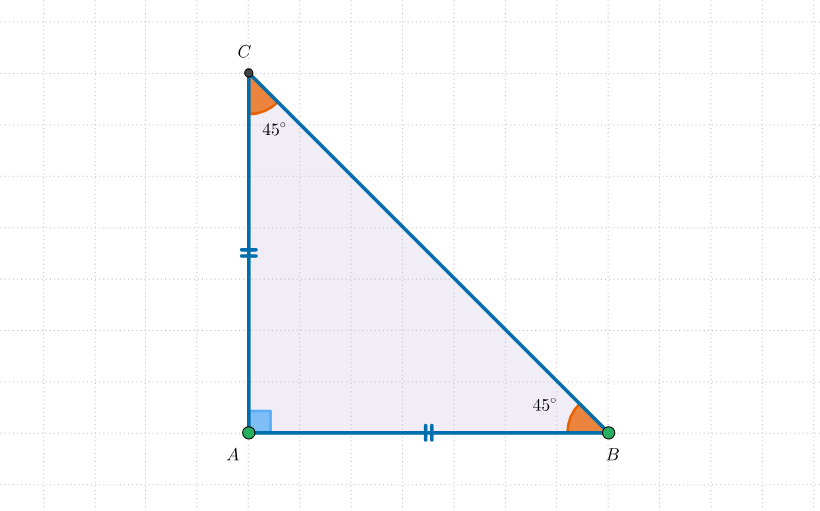
This interactive shape demonstrates an isosceles right triangle for teaching and learning with GeoGebra. Part of the Toolbox collection. It covers the basic concepts of isosceles right triangles, including the key math concepts: right angles, isosceles triangles, polygons, right triangles, logic, unit circles, difference and slope, terms, and ratios. The construction points include: segments, orthogonal lines, circles, intersections, polygons, and angles. Suitable for middle school or high school students to learn and explore the properties and characteristics of isosceles right triangles.
GeoGebra Commands & Parameters
Segment(A, B) → aOrthogonalLine(A, a) → bSegment(A, B) → cCircle(A, B) → dIntersect(d, b, 2) → CPolygon(A, B, C) → poli1, c_1, a_1, b_1Angle(poli1) → β, γ, δ
AI Drawing Prompt Reference
Place two points on the plane, connect them to form a base segment, then draw a line through one of the points that is orthogonal to that segment to create a right angle. Construct a circle determined by the two points and take the intersection of this circle with the perpendicular line as the third vertex. Finally, form a polygon from the three points to display an isosceles right triangle, and indicate the triangle’s three angles to highlight the right-angle and isosceles properties.
The prompt above was compiled from the original drawing commands and is for reference only.