
Slope in Road Signs
Loading the math board and drawing, please wait…
In collections
Trigonometry and Complex Numbers
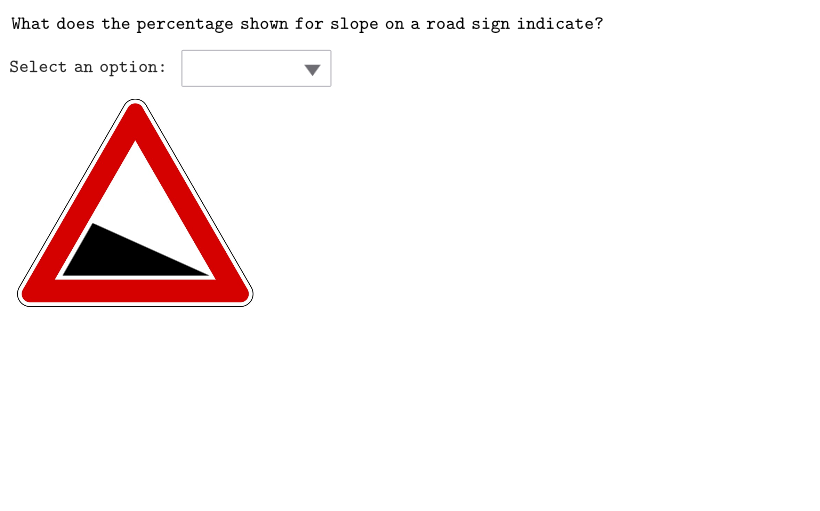
This example demonstrates the mathematical principles behind road signs, focusing on concepts such as angles, slope, right triangles, and the tangent function. Using GeoGebra commands like SelectedIndex, Rotate, and Intersect, the construction process is explained. Suitable for high school mathematics education and learning.
GeoGebra Commands & Parameters
SelectedIndex(ddMenu) → isRotate(D, 24.22°, C) → D'Intersect(Segment[D, E], Segment[C, D']) → SALSegment(D, SAL) → segmDSALRotate(C, -24.22°, D) → C'Intersect(Segment[C, E], Segment[D, C']) → DISSegment(C, DIS) → segmDISCPoint(If[is ≟ 2, segmDSAL, segmDISC]) → ONBPTAngle(ONBPT, D, C) → angDiscIf(onboarding, 8, 0) → pulsingSpeedCircle(ONBPT, pulsing) → pulsingObjectPolygon({C, D, ONBPT}) → triSALPolygon({C, ONBPT, D}) → triDISCAngle(D, C, D') → angSalMaxAngle(C', D, C) → angDiscMaxAngle(D, C, ONBPT) → angSalSegment(OR1, OR2) → segmOrSegment(DISCVERT, OR1) → segmDiscVertSegment(SALVERT, OR2) → segmSalVertPoint(Segment[C, ONBPT], 0.25) → TEMP1Translate(TEMP1, Vector[(((1 + percSal / 100) * 2.5) * UnitOrthogonalVector[Segment[C, ONBPT]])]) → POSSSegment(OR1, SALVERT) → segmSalPolygon({OR1, OR2, SALVERT}) → poliSalPolygon({OR1, OR2, DISCVERT}) → poliDiscSegment(DISCVERT, OR2) → segmDiscAngle(OR2, OR1, SALVERT) → angSalTriAngle(DISCVERT, OR2, OR1) → angDiscTri
AI Drawing Prompt Reference
Draw a road sign example demonstrating mathematical principles like angles, slopes, and triangles, highlighting trigonometry concepts. Start by constructing a triangle, then rotate one angle to create intersections and new line segments. Based on selection, draw either the slope or opposite side, marking key points. Finally, add two small triangles and two polygons, showing angles and segments to emphasize the relationship between slopes and trigonometric functions.
The prompt above was compiled from the original drawing commands and is for reference only.