
Why Is It Always a Parallelogram?
Loading the math board and drawing, please wait…
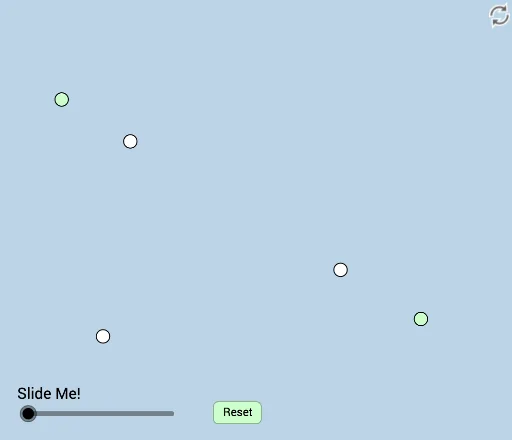
This is a dynamic and modifiable illustration of a scenario that always results in a parallelogram. The core mathematical concepts involved are triangles and vectors. Using GeoGebra commands such as Line, Point, Vector, and Translate, this construction is achieved. Suitable for middle school and above students to learn geometric construction and transformations.
GeoGebra Commands & Parameters
Line(A, B) → fPoint(f) → FRay(F, B) → kPointIn(a) → CPoint(k) → EAngle(E, C, F) → αMidpoint(E, F) → GRay(C, F) → gRay(C, E) → hLine(E, g) → iLine(F, h) → jIntersect(i, j) → HAngle(F, H, E) → βAngle(E, C, F) → γSegment(C, E) → lSegment(C, F) → mMin(l, m) → cCircle(C, (0.25 * c)) → dIntersect(d, h) → D,Intersect(d, g, 1) → IDilate(E, If[0 < e ≤ 1, 1 - e, 0], G) → E'Segment(E, E') → nDilate(G, If[1 < e ≤ 2, 2 - e, 0], F) → G'Segment(G, G') → pRotate(E, If[2 < e ≤ 3, ((e - 2) * π), π], G) → E'_1Rotate(E', If[2 < e ≤ 3, ((e - 2) * π), π], G) → E''Segment(E'_1, E'') → n'Dilate(C, If[3 < e ≤ 4, 4 - e, 0], F) → C'Dilate(C, If[3 < e ≤ 4, 4 - e, 0], E) → C'_1Segment(C, C'_1) → qSegment(C, C') → rRotate(D, If[4 < e ≤ 5, ((e - 4) * α), α], C) → D'CircleSector(C, D, D') → sDilate(C, If[5 < e ≤ 6, 6 - e, 0], H) → C'_2Vector(C, C'_2) → uTranslate(s, u) → s'Rotate(s', If[6 < e ≤ 7, ((e - 6) * π), π], H) → s''Dilate(H, If[7 < e ≤ 8, 8 - e, 0], F) → H'Dilate(H, If[7 < e ≤ 8, 8 - e, 0], E) → H'_1Segment(H, H'_1) → tSegment(H, H') → f_1Dilate(F, If[8 < e ≤ 9, 9 - e, 0], H) → F'Vector(F, F') → vTranslate(C, v) → C'_3Translate(C', v) → C''Segment(C'_3, C'') → r'Dilate(C, If[9 < e ≤ 10, 10 - e, 0], F) → C'_4Vector(C, C'_4) → wTranslate(C, w) → C'_5Translate(C'_1, w) → JSegment(C'_5, J) → q'Polygon(C, E, H, F) → poly1, c_1, e_1, h_1, f_2
AI Drawing Prompt Reference
Draw a dynamic quadrilateral that always remains a parallelogram. Start by creating a line segment AB, then take a point F on this segment. Draw a ray from F that intersects the line segment at point C. Use angles and midpoints to connect points E and F, forming a parallelogram. Adjust the position of point E to observe the changes in the parallelogram.
The prompt above was compiled from the original drawing commands and is for reference only.