
Volume of a Function Rotated Around the y-Axis
Loading the math board and drawing, please wait…
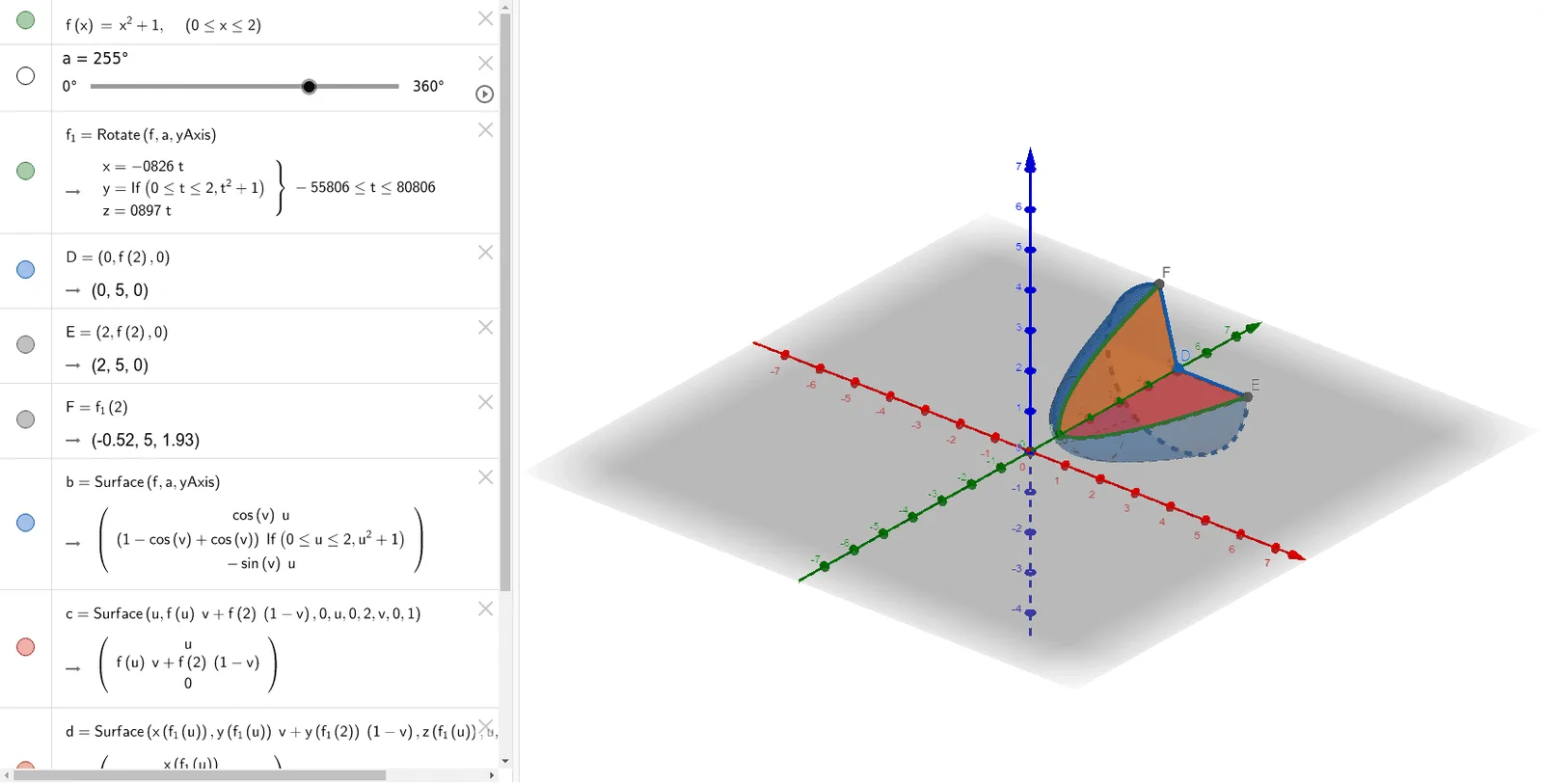
This example demonstrates how to calculate the volume of a solid formed by rotating a function around the y-axis. Key mathematical concepts include functions, solid geometry, and calculus. It utilizes commands such as Rotate, Surface, CircleSector, and Circle in GeoGebra. Suitable for high school math education, particularly in calculus and solid geometry courses.
GeoGebra Commands & Parameters
Rotate(f, a, yAxis) → f_1Surface(f, a, yAxis) → bSurface(u, (f(u) * v) + (f(2) * (1 - v)), 0, u, 0, 2, v, 0, 1) → cSurface(x(f_1(u)), (y(f_1(u)) * v) + (y(f_1(2)) * (1 - v)), z(f_1(u)), u, 0, 2, v, 0, 1) → dCircleSector(D, E, F, yAxis) → gCircle(yAxis, E) → k
AI Drawing Prompt Reference
Draw the volume of a solid formed by rotating a function around the y-axis. First, rotate the function f to get f_1, then draw the surface b. Next, draw surfaces c and d to form part of the solid. Finally, draw sector g and circle k to complete the solid.
The prompt above was compiled from the original drawing commands and is for reference only.