
Quick Surface of Revolution Creator
Loading the math board and drawing, please wait…
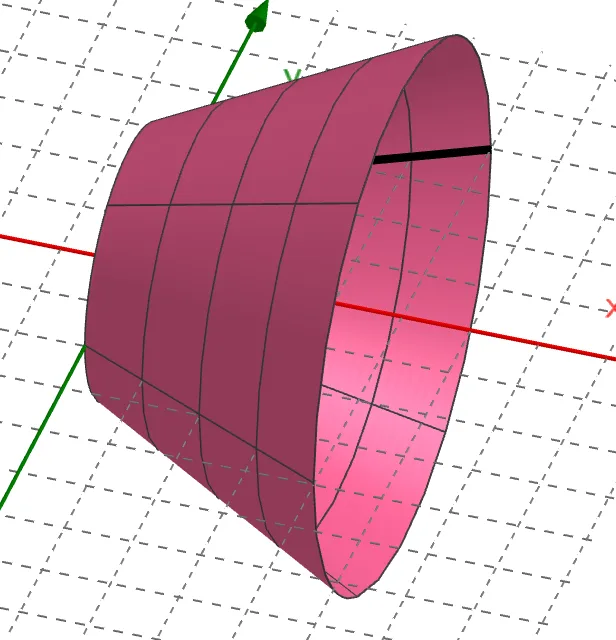
① This example demonstrates how to quickly generate a 3D surface of revolution by rotating a plane curve (function graph) around an axis, visualizing the formation of a solid of revolution. ② Core mathematical concepts include surfaces of revolution, parametric surface equations, function graphs, and 3D geometric transformations, relating to calculus ideas of volume and surface area generated by rotating a curve. ③ Construction highlights: using the GeoGebra command Surface, with function f as the generatrix, slider n controlling the number of rotation segments, parameter a adjusting the rotation angle or range, and opacity set for transparency to inspect internal structure; users can dynamically adjust parameters to observe surface changes. ④ Suitable for high school to university-level teaching in calculus, analytic geometry, or solid geometry, as well as for mathematical experiments and visual exploration, helping students understand the principle of generating surfaces of revolution and the construction of parametric surfaces.
GeoGebra Commands & Parameters
Surface(f, n, xAxis) → a
AI Drawing Prompt Reference
Create a 3D surface of revolution generated by rotating function f around the x-axis. Use slider n to control the number of rotation segments, adjust parameter a to change the rotation angle or range, and set transparency to inspect the internal structure. Dynamically adjust parameters to observe surface changes and understand the principle of generating surfaces of revolution and constructing parametric surfaces.
The prompt above was compiled from the original drawing commands and is for reference only.