
Two Rectangles and Triangle's Perimeter or Area
Loading the math board and drawing, please wait…
In collections
RectTri Area vs. Perimeter Drafts
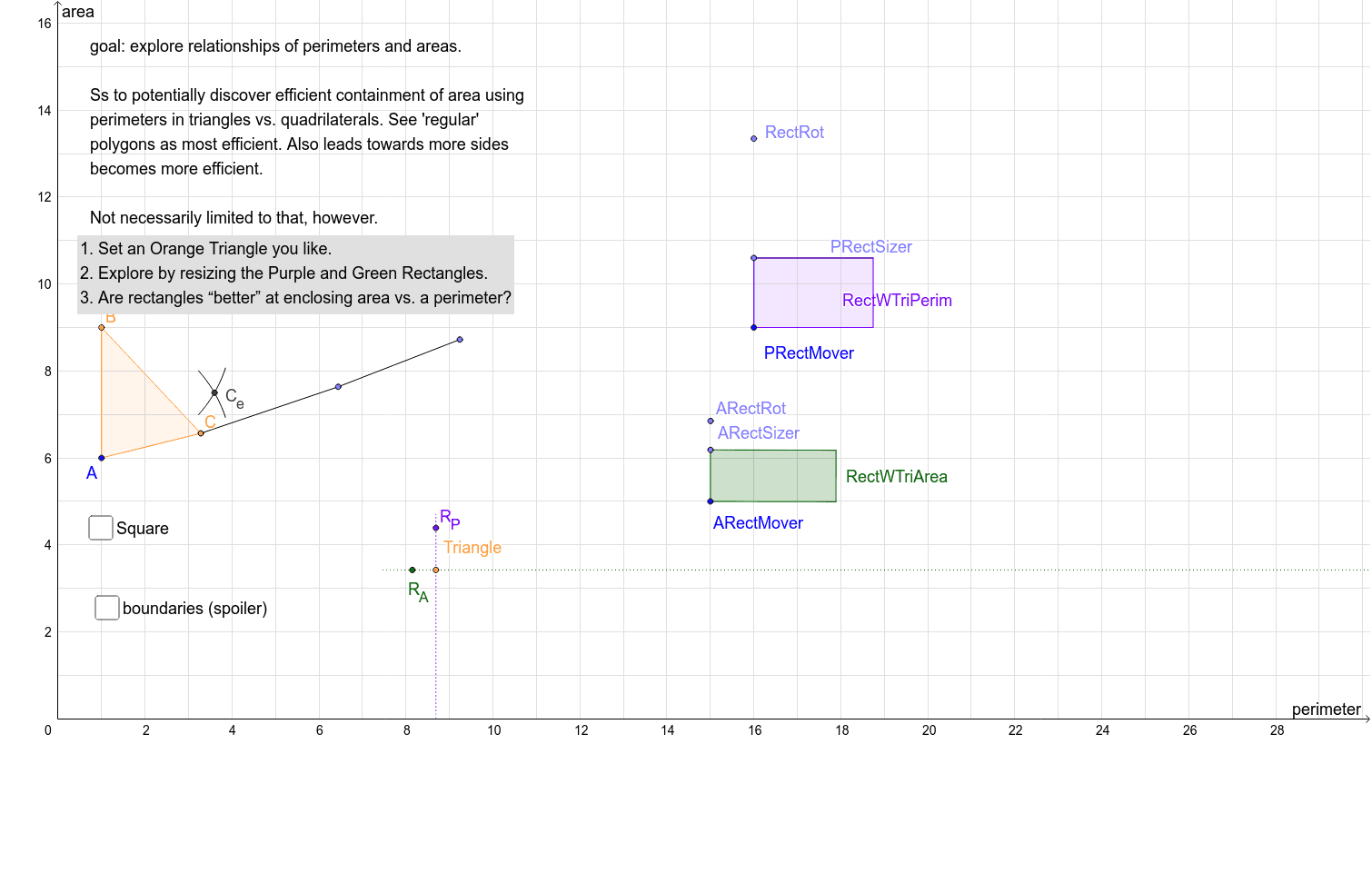
This example demonstrates the relationship between two rectangles and a triangle when they share either the perimeter or the area, exploring how well rectangles enclose area. It involves core math concepts like perimeter, area, geometric transformations, quadratic and logarithmic functions. Constructed using commands such as Polygon, Circle, Point, Segment, Intersect, Distance, Rotate, Angle, Line, OrthogonalLine, Locus, and objects like PRectMover, poly1, triPerim, rootTriArea. Suitable for high school mathematics education, illustrating geometric transformations and function applications.
GeoGebra Commands & Parameters
Polygon(A, B, C) → poly1, c, a, bCircle(PRectMover, halfTriPerim) → c_1Point(c_1) → RectRotSegment(PRectMover, RectRot) → a_1Circle(PRectMover, (0.99 * a_1)) → q_1Intersect(q_1, a_1) → V,Segment(V, PRectMover) → PRectDomainPoint(Circle[A, rootTriArea]) → DSegment(A, D) → ePolygon(A, D, 4) → poly2, f, g, h, i, E, FPoint(Circle[D, rootTriArea]) → GSegment(D, G) → lPoint(Circle[G, rootTriArea]) → HSegment(G, H) → mPoint(Circle[H, rootTriArea]) → ISegment(H, I) → nPoint(Circle[C, a]) → JSegment(C, J) → pPoint(Circle[J, c]) → KSegment(J, K) → qCircle(B, A) → sCircle(A, B) → tIntersect(s, t) → M, N, ,Distance(L, r) → oPoint(PRectDomain) → PRectSizerRotate(PRectMover, -90°, PRectSizer) → P'Angle(PRectMover, PRectSizer, P') → αLine(PRectSizer, P') → b_1Segment(PRectMover, PRectSizer) → d_1Circle(PRectSizer, halfTriPerim - d_1) → e_1Intersect(e_1, b_1, 1) → SSegment(PRectSizer, S) → f_1OrthogonalLine(S, f_1) → g_1OrthogonalLine(PRectMover, d_1) → h_1Intersect(g_1, h_1) → TPolygon(PRectMover, PRectSizer, S, T) → RectWTriPerim, p_1, r_1, s_1, t_1Segment(P, Q) → dPoint(Circle[ARectMover, f]) → ARectRotSegment(ARectMover, ARectRot) → ARectDomainPoint(ARectDomain) → ARectSizerOrthogonalLine(ARectSizer, ARectDomain) → kOrthogonalLine(ARectMover, ARectDomain) → i_1Circle(ARectSizer, equiAreaRectHeight) → k_1Intersect(k_1, k, 2) → ZOrthogonalLine(Z, k) → j_1Intersect(i_1, j_1) → A_1Polygon(ARectMover, ARectSizer, Z, A_1) → RectWTriArea, u, w, z_1, a_2Locus(R_A, ARectSizer) → loc1Locus(R_P, PRectSizer) → loc2
AI Drawing Prompt Reference
Draw a triangle with two rectangles, one sharing perimeter and the other area. Show how the rectangles change as the triangle's vertex moves, highlighting key points, lines, and circles involved in the perimeter or area sharing. Start with the triangle, then construct the perimeter-sharing rectangle using circles and intersections, followed by the area-sharing rectangle, adjusting its size based on area relationships.
The prompt above was compiled from the original drawing commands and is for reference only.