
Turning On the Grid: Polygon Construction Demo
Loading the math board and drawing, please wait…
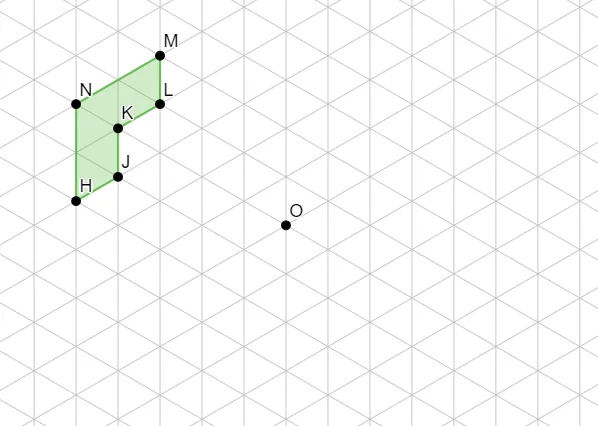
This example demonstrates how enabling the grid in GeoGebra helps visually align and construct a planar polygon by providing a clear coordinate reference. It focuses on geometric construction ideas: forming polygons from specified vertices and understanding how grid-based alignment improves precision when placing points. Key math concepts are polygon geometry (vertex-based construction) and the practical role of discrete grid cues for accurate reading/verification of positions—an observation style that also complements data-style topics such as confidence intervals and frequency distributions. Construction details: it mainly uses the GeoGebra command Polygon, with vertices given by objects H, J, K, L, M, N, along with additional constructed/related objects poly1, a, b, c, d, e, f, and O. Suitable for middle school to early university students using GeoGebra to learn geometric drawing and coordinate-based accuracy.
GeoGebra Commands & Parameters
Polygon(H, J, K, L, M, N) → poly1, a, b, c, d, e, f
AI Drawing Prompt Reference
Draw a planar polygon by connecting six specified points in sequence on a coordinate grid to demonstrate precise point positioning aided by the grid, and construct related geometric figures to show the role of the grid in coordinate geometry.
The prompt above was compiled from the original drawing commands and is for reference only.