
GeoGebra Transformations: Translation, Rotation, Reflection
Loading the math board and drawing, please wait…
In collections
Lesson 13 Rotations V2
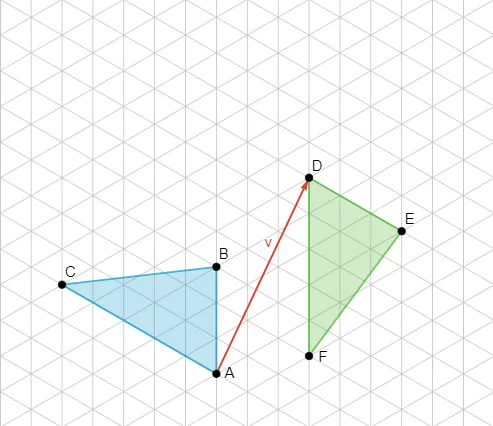
This example demonstrates geometric transformations using GeoGebra, including translation, rotation, and reflection. Key mathematical concepts involve coordinate geometry, vectors, and graph transformations. Construction points include using Vector, Polygon, and other commands to create objects and apply transformations. Suitable for middle or high school students learning geometric transformations, as well as for teaching demonstrations and self-exploration of geometric properties.
GeoGebra Commands & Parameters
Vector(A, D) → vPolygon(A, B, C) → t1, c, a, bPolygon(D, E, F) → t2, f, d, e
AI Drawing Prompt Reference
On a coordinate plane, construct two triangles made from three points each. First, choose the first triangle using a starting point A and the same translation direction indicated by a vector defined with points A and D. Create a closed triangle by connecting three points belonging to the first position. Then translate the entire triangle by that same vector to form a second, corresponding triangle at a new location, using the translated points associated with D. Display both triangles so their relative positions are determined by the same vector.
The prompt above was compiled from the original drawing commands and is for reference only.