
Turning On the Grid: Constructing Polygons and a Median-Line Sine Relationship
Loading the math board and drawing, please wait…
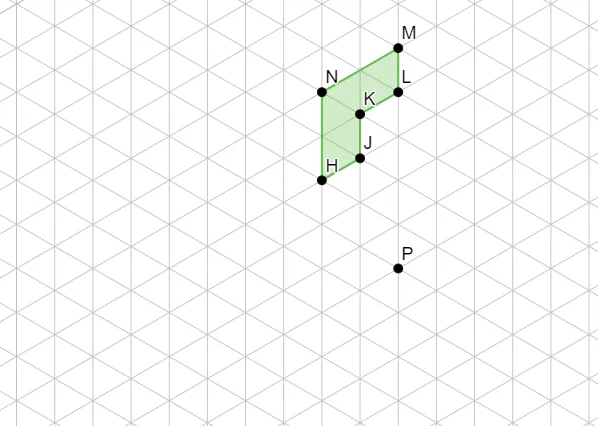
This GeoGebra example demonstrates how turning on the grid enables a precise geometric construction: a polygon is built from a set of points and auxiliary objects, allowing the user to clearly observe length/position relationships that mirror a median-line style argument and a resulting sine-based measurement. Key math ideas include polygon construction, arithmetic operations (including multiplication) applied to geometric quantities, median-line reasoning (using the structure from endpoints or opposite sides to infer parallelism and consistent lengths), and a link to trigonometric interpretation via Sine. Construction centers on the Polygon command, forming the polygon from points H, J, K, L, M, N together with existing helper objects (poly1, a, b, c, d, e, f, and P). The grid-driven workflow helps students verify relationships visually and refine their construction accuracy. Suitable for middle/high school geometry, especially when introducing or consolidating median-line properties and connecting them with trig measurement concepts.
GeoGebra Commands & Parameters
Polygon(H, J, K, L, M, N) → poly1, a, b, c, d, e, f
AI Drawing Prompt Reference
Draw a hexagon formed by points H, J, K, L, M, N on a grid, using helper objects poly1, a, b, c, d, e, f to construct the figure. Use the grid to observe length and position relationships, verifying the connection between median-line reasoning and sine measurement.
The prompt above was compiled from the original drawing commands and is for reference only.