
Multiplying 2-Digit by 1-Digit Using an Area Model (GeoGebra)
Loading the math board and drawing, please wait…
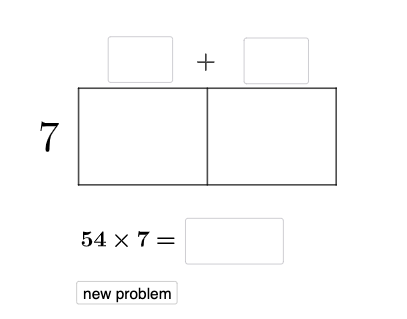
This example demonstrates how to multiply a 2-digit number by a 1-digit number using a flexible area model: the digits are decomposed into tens and ones, and the product is obtained by combining the areas of the partitioned regions. It visualizes the distributive property of multiplication in a geometric way, linking place-value decomposition to rectangle/polygon areas, and supporting interpretation of related side lengths/perimeter-style features. The construction uses GeoGebra commands from the summary: Point to place key vertices, Polygon to form the area regions, Segment to draw the partition lines, Random and Textfield to generate/label adjustable numbers, and If to switch between cases and update displayed outcomes. Suitable for elementary upper grades through middle school, as a classroom demonstration and interactive exploration tool for place-value multiplication and area models.
GeoGebra Commands & Parameters
Point(yAxis) → DPoint(yAxis) → LPolygon(G, H, K, J) → q5, g_2, h_3, k_1, j_{2}Polygon(L, G, J, D) → q6, l_1, g_3, j_1, d_{2}Random(1, 9) → oRandom(1, 9) → uRandom(2, 9) → vRandom(1, 9) → wRandom(1, 9) → a_1Random(1, 9) → b_1Textfield(d_1) → aTextfield(m_1) → bTextfield(t_1) → dTextfield(u_1) → fTextfield(o_1) → gTextfield(p_1) → hTextfield(ansguess) → nRandom(2, 9) → cIf(n_1 ≟ v, "√", "X") → text3If(ansguess ≟ produc, "☺", "☹ ") → text7Segment(L, H) → rSegment(D, K) → pIf(d_1 + m_1 ≟ (10 * u) + v, "√", "X") → text2Segment(D, L) → qSegment(J, G) → sSegment(K, H) → t
AI Drawing Prompt Reference
Draw a two-rectangle area model. The left rectangle represents the tens and ones of a two-digit number, and the right rectangle represents the tens and ones of a one-digit number. Connect them with dividing lines to form a whole. Include labels for tens, ones, multiplier, and product. Keep the lines simple and clear for educational use.
The prompt above was compiled from the original drawing commands and is for reference only.