
Turning on the Grid: Constructing a Polygon with Key Points
Loading the math board and drawing, please wait…
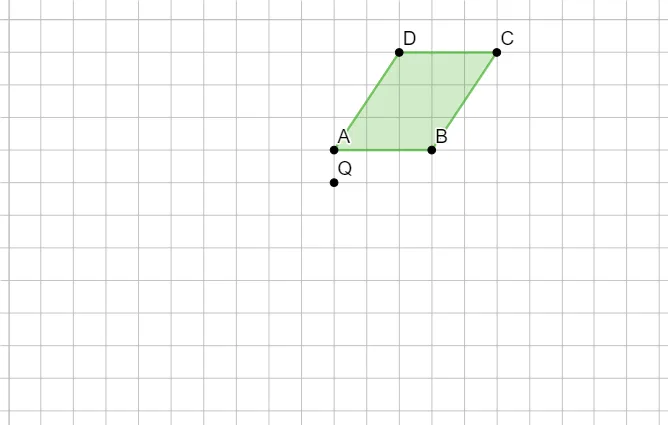
This GeoGebra example demonstrates how toggling the grid helps you place points precisely and then construct a polygon by connecting selected vertices. The focus is on visualizing the geometric relationships that emerge from choosing specific points and using the grid for accurate positioning. Key math concepts include coordinate-based point placement and geometric construction of polygons using a set of ordered vertices (Polygon). Construction highlights: from the provided GeoGebra “construction summary”, the construction centers on the Polygon command, built from the objects A, B, C, D, along with additional referenced points such as q1, a, b, c, d, and Q. It is well-suited for middle school geometry lessons, introductory coordinate geometry, and teacher-led demos for learning GeoGebra’s graphing and geometric construction workflow.
GeoGebra Commands & Parameters
Polygon(A, B, C, D) → q1, a, b, c, d
AI Drawing Prompt Reference
Draw a quadrilateral by connecting points A, B, C, and D. Use the grid to place these points precisely, then use the Polygon command to connect the vertices.
The prompt above was compiled from the original drawing commands and is for reference only.