
Triangle Rotation Tessellation Step 4 Apply Design
Loading the math board and drawing, please wait…
In collections
Real Triangle Rotation Tessellation Math 206 by Marie Towne
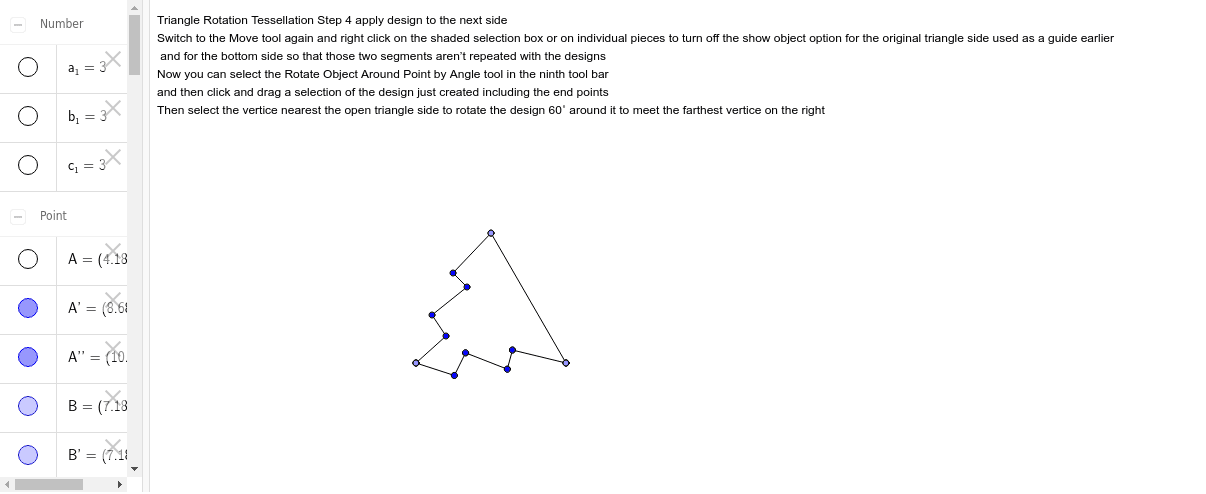
This example demonstrates how to create a tessellation pattern by rotating triangles, specifically showing the step of applying the design to the next side. Core math concepts include rotation, geometric construction, symmetry, and potential fractal geometry ideas. Construction highlights the use of GeoGebra commands/objects like Point, Segment, and Rotate. Suitable for high school students or math enthusiasts learning geometric transformations and pattern design.
GeoGebra Commands & Parameters
Point(Circle[A, 3]) → BSegment(A, B) → aPoint(Circle[B, 3]) → CSegment(B, C) → bPoint(Circle[C, 3]) → DSegment(C, D) → cRotate(A, -120*°, B) → A'Rotate(B, -120*°, B) → B'Segment(A', B') → a'Rotate(C, 120*°, C) → C'Rotate(D, 120*°, C) → D'Segment(C', D') → c'Segment(A', E) → dSegment(E, F) → eSegment(F, G) → fSegment(G, H) → gSegment(H, B) → hRotate(A', -60*°, B) → A''Rotate(E, -60*°, B) → E'Segment(A'', E') → d'Rotate(E, -60*°, B) → E'_1Rotate(F, -60*°, B) → F'Segment(E'_1, F') → e'Rotate(F, -60*°, B) → F'_1Rotate(G, -60*°, B) → G'Segment(F'_1, G') → f'Rotate(G, -60*°, B) → G'_1Rotate(H, -60*°, B) → H'Segment(G'_1, H') → g'Rotate(H, -60*°, B) → H'_1Rotate(B, -60*°, B) → B'_1Segment(H'_1, B'_1) → h'Rotate(B', -60*°, B) → B''Rotate(D', -60*°, B) → D''
AI Drawing Prompt Reference
Create a hexagonal tessellation pattern made of rotated triangles. Start by drawing a circle and selecting three points A, B, and C on it, then connect them to form a triangle. Rotate A, B, and C around B by -120 degrees to get A', B', and C', and connect A'B'. Next, rotate D around C by 120 degrees to get D', and connect CD'. Then, rotate A', E, F, G, and H around B by -60 degrees to get a series of new points, and connect them to form the tessellation pattern.
The prompt above was compiled from the original drawing commands and is for reference only.