
Alturas y ortocentro: Trigonometric Functions and Geometric Construction
Loading the math board and drawing, please wait…
In collections
geometriadinamica.es
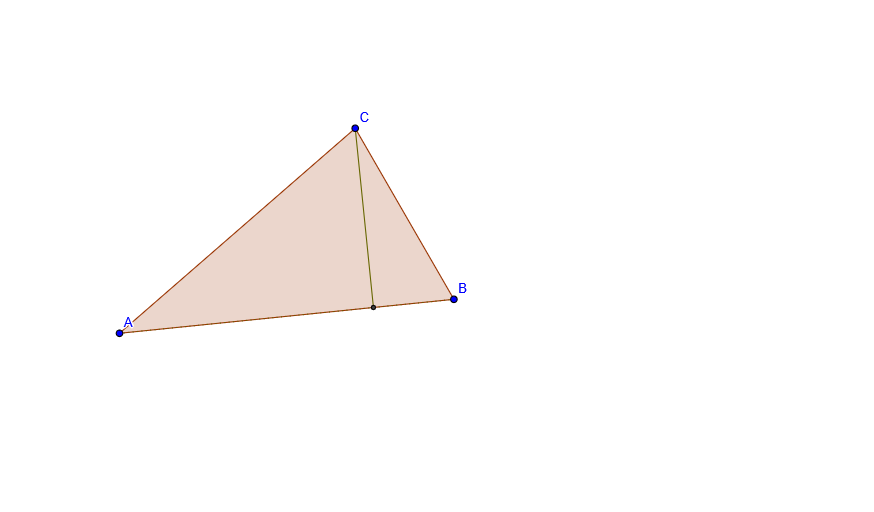
Alturas y ortocentro demonstrates the application of trigonometric functions in geometric constructions. Key concepts include trigonometry, circles, and geometric construction. The construction uses GeoGebra commands such as Polygon, OrthogonalLine, Line, Intersect, and Segment. This example is suitable for high school students or enthusiasts learning about geometry and trigonometric applications.
GeoGebra Commands & Parameters
Polygon(A, B, C) → P, c, a, bOrthogonalLine(C, c) → dLine(A, B) → eIntersect(d, e) → DSegment(C, D) → fSegment(B, D) → gSegment(A, D) → hLine(A, C) → iLine(B, C) → jOrthogonalLine(A, j) → kIntersect(j, k) → EIntersect(d, k) → OrSegment(A, E) → lSegment(B, E) → mSegment(D, Or) → pSegment(E, Or) → qOrthogonalLine(B, i) → rSegment(C, E) → nIntersect(i, r) → FSegment(F, B) → sSegment(F, Or) → tSegment(A, F) → a_1Segment(C, F) → b_1
AI Drawing Prompt Reference
Draw an arbitrary triangle, then construct perpendicular lines from each vertex to the opposite side. These three altitude lines intersect at a single point, which is the orthocenter of the triangle. Next, connect each vertex to its corresponding foot of the perpendicular on the opposite side, and also draw segments from the orthocenter to each of the three feet and to each of the three vertices. The resulting figure displays the three altitudes of the triangle, the three feet of the perpendiculars, and the distances from the orthocenter to these points.
The prompt above was compiled from the original drawing commands and is for reference only.