
Triangle Congruence Exploration by Marcinek, Tibor
Loading the math board and drawing, please wait…
In collections
Triangle Congruence
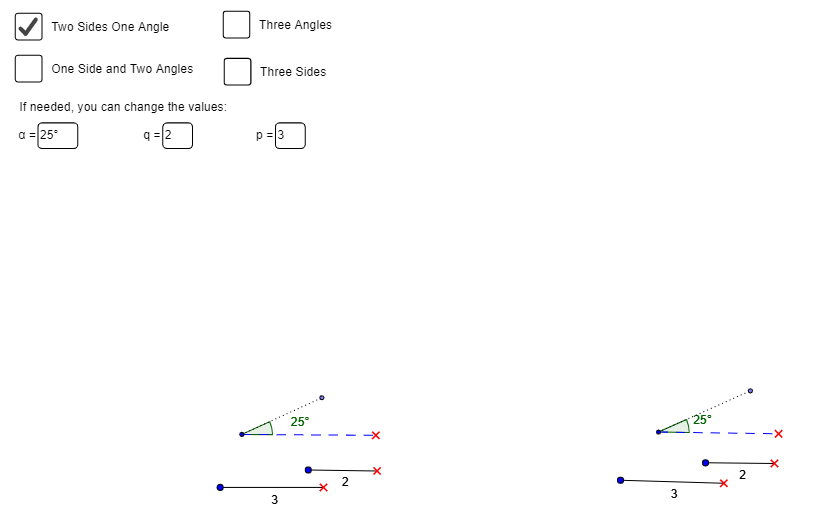
This GeoGebra applet allows students to explore and discover theorems of triangle congruence, including the uncommon SSA theorem. By adjusting sliders, students can observe and validate the congruence of triangles under different conditions. The applet uses GeoGebra commands such as text field, rotate, angle, ray, point, segment, etc. Suitable for middle school and above students to deepen their understanding of triangle congruence.
GeoGebra Commands & Parameters
Textfield(p) → InputBox1Textfield(q) → InputBox2Textfield(α) → InputBox3Textfield(r) → InputBox4Textfield(β) → InputBox5Rotate(A, α, B) → A'Angle(A, B, A') → δRay(B, A') → aPoint(a) → CSegment(B, C) → bSegment(B, A) → cTextfield(α) → InputBox3_1Rotate(A_1, α, B_1) → A'_1Angle(A_1, B_1, A'_1) → δ_1Ray(B_1, A'_1) → a_1Point(a_1) → C_1Segment(B_1, C_1) → b_1Segment(B_1, A_1) → c_1Point(Circle[D, p]) → ESegment(D, E) → dTextfield(p) → InputBox1_1Point(Circle[D_1, p]) → E_1Segment(D_1, E_1) → d_1Point(Circle[F, q]) → GSegment(F, G) → eTextfield(q_1) → InputBox2_1Point(Circle[F_1, q]) → G_1Segment(F_1, G_1) → e_1Point(Circle[H, r]) → ISegment(H, I) → fTextfield(r_1) → InputBox4_1Point(Circle[H_1, r]) → I_1Segment(H_1, I_1) → f_1Rotate(J, β, K) → J'Angle(J, K, J') → εSegment(K, J) → gRay(K, J') → hPoint(h) → LSegment(K, L) → iTextfield(β) → InputBox5_1Rotate(J_1, β, K_1) → J'_1Angle(J_1, K_1, J'_1) → ε_1Segment(K_1, J_1) → g_1Ray(K_1, J'_1) → h_1Point(h_1) → L_1Segment(K_1, L_1) → i_1Textfield(β) → InputBox5_2Rotate(J_2, γ, K_2) → J'_2Angle(J_2, K_2, J'_2) → ε_2Segment(K_2, J_2) → g_2Ray(K_2, J'_2) → h_2Point(h_2) → L_2Segment(K_2, L_2) → i_2Textfield(β) → InputBox5_3Textfield(α) → InputBox3_2Textfield(β) → InputBox5_4Textfield(α) → InputBox3_3Textfield(β) → InputBox5_5Textfield(β) → InputBox5_6Rotate(J_3, γ_1, K_3) → J'_3Angle(J_3, K_3, J'_3) → ε_3Segment(K_3, J_3) → g_3Ray(K_3, J'_3) → h_3Point(h_3) → L_3Segment(K_3, L_3) → i_3Textfield(β) → InputBox5_7
AI Drawing Prompt Reference
Draw two triangles ABC and A'B'C', where A and A' are rotated around point B by angle α to get A', and B and C form segment b, while B and A form segment c. Then draw triangle A_1B_1C_1, where A_1 and A'_1 are rotated around point B_1 by angle α to get A'_1, and B_1 and C_1 form segment b_1, while B_1 and A_1 form segment c_1. Next, draw circles with centers D and D_1 and radii p and p_1, and find intersection points E and E_1, then connect DE and D_1E_1. Then draw circles with centers F and F_1 and radii q and q_1, and find intersection points G and G_1, then connect FG and F_1G_1. Finally, draw circles with centers H and H_1 and radii r and r_1, and find intersection points I and I_1, then connect HI and H_1I_1.
The prompt above was compiled from the original drawing commands and is for reference only.