
Geometric Construction to Find the Center of Rotation
Loading the math board and drawing, please wait…
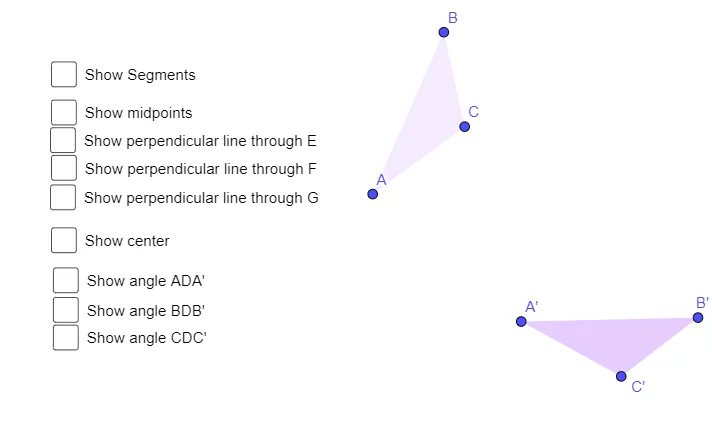
This example demonstrates how to locate the center of rotation in the plane by constructing a rotation-based configuration (involving equilateral-triangle style structures) and mapping corresponding points to their rotated images. The key mathematical ideas are rotation and its defining property, angle relationships, angle bisectors, and midpoint symmetry, supported by logical use of straight lines to track angles. Construction highlights from the provided GeoGebra script: it uses the commands Polygon, Rotate, Segment, LineBisector, Angle, and Midpoint. Objects include the original triangle vertices A, B, C and their rotated counterparts A′, B′, C′, together with additional construction points (e.g., D, E, F, G and others) and angle measures (α, β, γ, δ). These elements encode the rotation mapping and the bisector/midpoint constraints that determine the rotation center. Suitable for middle to high school students and math-olympiad preparation, especially for lessons on transformation geometry and proof-oriented geometric construction.
GeoGebra Commands & Parameters
Polygon(A, B, C) → t1, c, a, bRotate(A, α, D) → A'Rotate(B, α, D) → B'Rotate(C, α, D) → C'Polygon(A', B', C') → t1', c', a', b'Segment(A', A) → fSegment(C', C) → gSegment(B', B) → hLineBisector(f) → iLineBisector(g) → jLineBisector(h) → kAngle(A', D, A) → βAngle(C', D, C) → γAngle(B', D, B) → δSegment(A, D) → lSegment(D, A') → mSegment(B, D) → nSegment(D, B') → pSegment(C, D) → qSegment(D, C') → rMidpoint(f) → EMidpoint(g) → FMidpoint(h) → G
AI Drawing Prompt Reference
Draw triangle ABC and rotate it around point D to get triangle A'B'C'. Construct the perpendicular bisectors of segments A'A, B'B, and C'C to find the rotation center D. Measure angles β, γ, and δ to ensure each vertex is rotated by the same angle.
The prompt above was compiled from the original drawing commands and is for reference only.