
Trapezoid Checkboxes
Loading the math board and drawing, please wait…
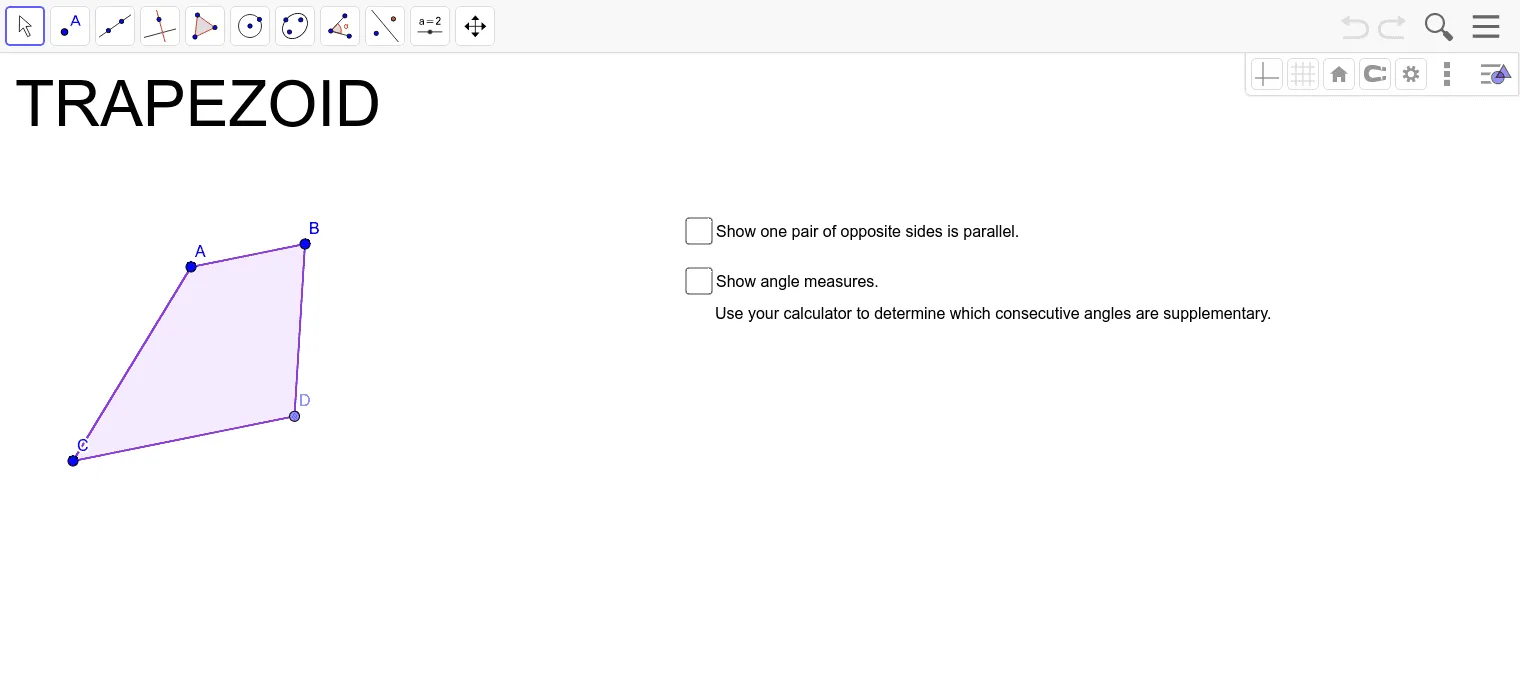
This example demonstrates how to use checkboxes to dynamically display the properties of a trapezoid. Key mathematical concepts include the definition of a trapezoid, reflection, equations, and special points. Using GeoGebra commands such as Segment, Line, Point, Slope, and Polygon, a trapezoid can be constructed and observed for changes. Suitable for middle school and above students or teachers.
GeoGebra Commands & Parameters
Segment(A, B) → fLine(C, f) → gPoint(g) → DSegment(A, C) → hSegment(C, D) → iSegment(B, D) → jSlope(f) → mSlope(i) → m_1Slope(h) → m_2Slope(j) → m_3Polygon(A, B, D, C) → poly1, a_1, b, d, cAngle(A, B, D) → αAngle(B, D, C) → βAngle(D, C, A) → γAngle(C, A, B) → δ
AI Drawing Prompt Reference
Draw a trapezoid ABCD with AB and CD as parallel bases and AD and BC as non-parallel sides. Use checkboxes to dynamically show the properties of the trapezoid, including the slopes of the bases and sides, and the angles at each vertex. First, draw the base AB, then draw a line f through point C, and select point D on the line to ensure AD and BC are not parallel. Next, draw sides AD and BC, and finally use points A, B, D, and C to construct the trapezoid ABCD and display the angles and slopes.
The prompt above was compiled from the original drawing commands and is for reference only.