
Rhombus Checkbox
Loading the math board and drawing, please wait…
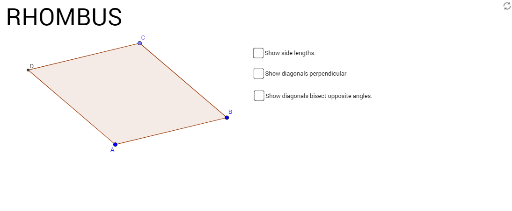
This example demonstrates how to construct a rhombus using GeoGebra, showcasing its relationship with circles, angles, and other geometric elements. Core mathematical concepts include polygons, circles, angles, and coordinate geometry. Construction highlights involve commands like Segment, Circle, Point, Intersect, Angle, and Polygon. Suitable for high school mathematics teaching or geometry learning to understand the properties and construction methods of rhombuses.
GeoGebra Commands & Parameters
Segment(A, B) → fCircle(B, A) → cPoint(c) → CSegment(C, B) → gCircle(C, B) → dCircle(A, B) → eIntersect(d, e, 2) → DSegment(A, D) → hSegment(D, C) → iSegment(D, B) → jSegment(C, A) → kIntersect(j, k) → EAngle(B, E, C) → αAngle(E, B, A) → βAngle(E, A, D) → γAngle(B, A, E) → δAngle(A, D, E) → εAngle(E, D, C) → ζAngle(D, C, E) → ηAngle(E, C, B) → θAngle(C, B, E) → ιSegment(D, B) → mSegment(C, A) → nPolygon(D, C, B, A) → poly1, d_1, c_1, b_1, a_1
AI Drawing Prompt Reference
Draw a rhombus, showing its relationship with circles. Start by drawing a segment, then create a circle with it as the diameter. The intersection points help form the rhombus. Continue this process to complete the rhombus. Finally, label the interior angles and display the intersection points with the circles.
The prompt above was compiled from the original drawing commands and is for reference only.