
Translation Example 2
Loading the math board and drawing, please wait…
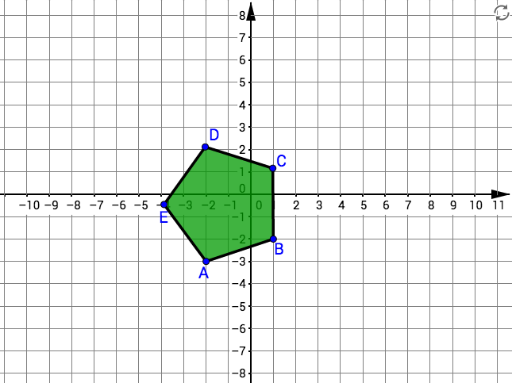
This example demonstrates translation transformation in geometry. Key concepts include vectors and translation. Using commands like Intersect, Vector, Translate, and Polygon, the translated shapes are constructed. Suitable for middle school and above students to learn geometric transformations.
GeoGebra Commands & Parameters
Intersect(xAxis, yAxis) → SVector(S, U) → uVector(S, T) → u_1Translate(A, u_1) → A'Translate(B, u_1) → B'Vector(S, V) → v_1Translate(A, u) → A''Translate(B, u) → B''Translate(A, v_1) → A'''Translate(B, v_1) → B'''Polygon(A, B, 5) → poly1, f, g, i, j, k, C, D, EPolygon(A', B', 5) → poly2, l, m, n, p, q, C', D', E'Polygon(A'', B'', 5) → poly3, r, s, t, a, b, C'', D'', E''Polygon(A''', B''', 5) → poly4, c, d, e, f_1, g_1, C''', D''', E'''Vector(A, A''') → w_1Vector(A, A') → a_1Vector(A, A'') → b_1
AI Drawing Prompt Reference
Draw a pentagon ABCDE, then translate it three times using different vectors. First, translate using vector u_1 to get A'B'C'D'E', then using vector u to get A''B''C''D''E'', and finally using vector v_1 to get A'''B'''C'''D'''E'''. Lastly, draw all the pentagons and their translation vectors.
The prompt above was compiled from the original drawing commands and is for reference only.