
Rational Exponents
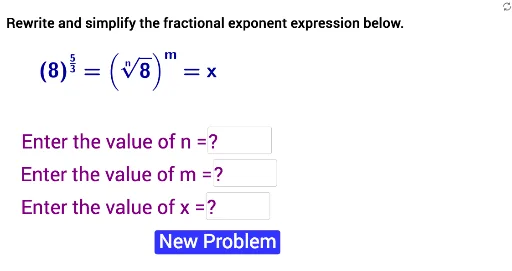
Loading the math board and drawing, please wait…
This example demonstrates the geometric interpretation and calculation process of rational exponents. It involves core mathematical concepts such as exponent operations, natural numbers, trigonometric functions, step functions, and derivatives. The construction utilizes GeoGebra commands and objects like Random, RandomElement, Textfield, text1, b, num, a, base, eans, cans, inputBox1, text6, text7, button1_1, A1, InputBox1, A2, InputBox2, text2, text3, text4, text5, text8. It is suitable for high school and above students learning about the properties of exponential functions and derivative calculations.
GeoGebra Commands & Parameters
Random(2, 5) → bRandomElement({Random[1, b - 1], Random[b + 1, (2 * b) - 1]}) → numRandom(1, 5) → aTextfield(eans) → inputBox1Textfield(A1) → InputBox1Textfield(A2) → InputBox2
AI Drawing Prompt Reference
Create a geometric illustration demonstrating the geometric interpretation and calculation process of rational exponents, incorporating core mathematical concepts like natural numbers, trigonometric functions, step functions, and derivatives. Start by generating two random numbers, b and num, where b determines the range and num selects a specific value. Then, generate a random number a to represent the base. Use an input box for users to enter the rational exponent and calculate the result. Finally, display the calculation process and results using text boxes, and control the entire process with a button.
The prompt above was compiled from the original drawing commands and is for reference only.