
15. Irrational Numbers
Loading the math board and drawing, please wait…
In collections
geometriadinamica.es
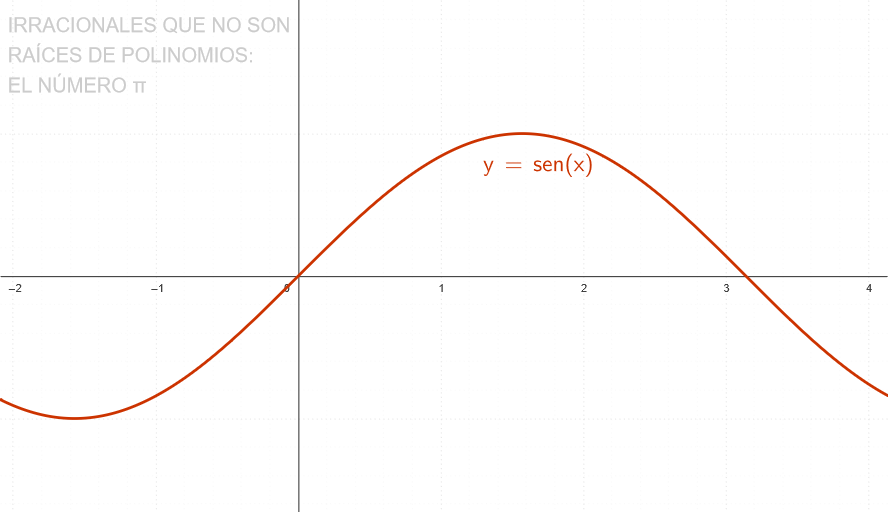
This example demonstrates how to use GeoGebra to explore the concept of irrational numbers. It involves the use of logarithms, sine and cosine functions, and how to use GeoGebra to plot these functions' graphs. Key math concepts include logarithms, sine and cosine functions, function graphs, and the concept of irrational numbers. Construction points include using GeoGebra's Intersect command to find the intersection points of functions, and using T7, B, C, T4, f, T1, g, T2, A, T3 objects to plot function graphs. Suitable grade level or purpose includes middle school math, function graphs, and the concept of irrational numbers.
GeoGebra Commands & Parameters
Intersect(g, xAxis, (3.1415926535900485, 0)) → A
AI Drawing Prompt Reference
Plot logarithmic and trigonometric functions on a coordinate plane and locate the intersection point between the logarithmic function curve and the x-axis near π. The function graphs should clearly show the shapes of the logarithmic curve and trigonometric curves, along with their relative positions on the coordinate plane.
The prompt above was compiled from the original drawing commands and is for reference only.