
Gradient Quiz
Loading the math board and drawing, please wait…
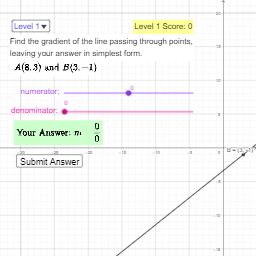
This example demonstrates gradient calculation and visualization, showing the rate of change of a function at a point through dynamic graphics; core math concepts include derivatives, vectors, and coordinate geometry; construction highlights the use of GeoGebra commands like Sequence, Line, If, involving objects such as mark3, mark2, mark1, Levels, coords, A, B, f, gradient, etc.; suitable for high school and above students for understanding the application and teaching demonstration of gradients in multivariate functions.
GeoGebra Commands & Parameters
Sequence(Random[-9, 9], n, 1, 4) → coords, {8, 3, 3, -1}Line(A, B) → fIf(Numerator[gradient] ≟ 0, ans_{num} ≟ 0 ∧ ans_{denom} ≠ 0, ans_{num} ≟ Numerator[gradient] ∧ ans_{denom} ≟ Denominator[gradient]) → correct1If(SelectedIndex[Levels] ≟ 1, true, false) → GridAxesIf(SelectedIndex[Levels] ≟ 3, correct2, correct1) → correct
AI Drawing Prompt Reference
On a coordinate plane, create a set of random coordinate values and use the resulting points to define a line through two selected points. Represent the gradient-related information for the function along that line at a chosen point, and include a logic-based check that compares whether numerator/denominator conditions match the gradient when gradient components are zero, otherwise match the gradient components’ numerator and denominator. Then, depending on the selected level, display coordinate grid axes or update the correctness status accordingly. The final graphic should look like a gradient calculation and visualization quiz, featuring the line, grid axes, and correctness feedback.
The prompt above was compiled from the original drawing commands and is for reference only.