
Biking on a Sine Curve
Loading the math board and drawing, please wait…
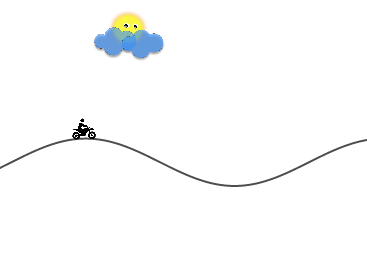
This example demonstrates a motorcycle riding on a sine curve. It involves core mathematical concepts such as sine functions, trigonometry, median value, orthocenter, solids or 3D shapes, circumcircle or circumscribed circle, and 3D vectors. The construction highlights the use of GeoGebra commands and objects like Point, Tangent, Circle, Intersect, Segment, Rotate, Angle, OrthogonalLine, and Line. Suitable for high school students and enthusiasts to understand the integration of function graphs and geometric shapes.
GeoGebra Commands & Parameters
Point(f) → ATangent(A, f) → gCircle(A, 1) → cCircle(A, 0.5) → dIntersect(d, g, 1) → BIntersect(d, g, 2) → CSegment(B, C) → jCircle(A, C) → eRotate(C, -20°, A) → C'Angle(C', A, C) → αCircle(A, 0.07) → hOrthogonalLine(A, j) → iIntersect(h, i, 1) → ELine(E, j) → kIntersect(e, i, 1) → FIntersect(e, k, 1) → GIntersect(e, k, 2) → H
AI Drawing Prompt Reference
Draw a sine curve and a motorcycle riding on it. Start by selecting a point A on the curve and drawing its tangent g. Then, draw two concentric circles c and d centered at A. Draw line segment j between the intersections of d and g. Next, draw a circle e centered at C with a -20 degree rotation, calculate angle α, and draw a circle h centered at A. Draw line k from the intersection of h and e, and find points F and G where k intersects e.
The prompt above was compiled from the original drawing commands and is for reference only.