
Circle Equation Quiz
Loading the math board and drawing, please wait…
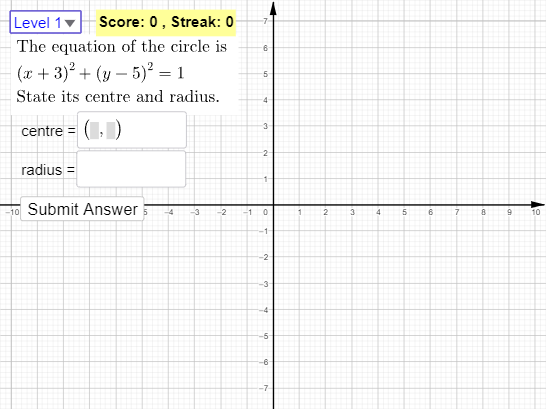
This example demonstrates how to draw and manipulate circle equations using GeoGebra, covering core concepts like standard circle equations, coordinate geometry, and geometric constructions. It utilizes commands and objects such as Sequence, If, Circle, Line, Point, Segment, SelectedIndex, and Textfield for interactive learning and practice, suitable for high school mathematics students.
GeoGebra Commands & Parameters
Sequence(Random[-10, 10], n, 1, 3) → k, {-3, 5, -1}If(k(3) ≟ 0, 1, abs(k(3))) → rCircle(C, r) → cLine(A, xAxis) → fPoint(f) → BCircle(A, B) → dSegment(A, B) → gSequence("Level " + (n), n, 1, 6) → LevelSelectedIndex(Level) → LTextfield(C_{ans}) → InputBox1Textfield(r_{ans}) → InputBox2Textfield(c_{ans}) → InputBox3
AI Drawing Prompt Reference
Draw a circle with its center coordinates generated by three random numbers, and the radius is the absolute value of the non-zero number among them. Then, draw the x-axis and drop a perpendicular from the center to the x-axis, marking the foot of the perpendicular as point B. Next, draw a circle with diameter AB. Finally, create six different difficulty level questions, where the user needs to input the circle's equation, radius, and the circle's equation.
The prompt above was compiled from the original drawing commands and is for reference only.