
The Gardener's Circle: Dynamic Construction and Understanding Check
Loading the math board and drawing, please wait…
In collections
Euclidean Geometry
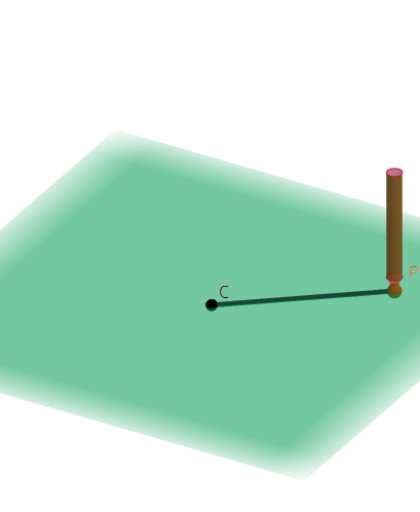
① This example dynamically demonstrates how to construct a perfect circle using the gardener's method (two stakes and a rope), accompanied by interactive questions to deepen and check understanding of the circle's nature. ② Core mathematical concepts include the definition of a circle (set of points at a fixed distance from a center), geometric construction, and connections to triangles, the Pythagorean theorem, median lines, as well as extensions to conditional probability and normal distribution. ③ Construction highlights: from the summary, GeoGebra commands such as Intersect, Point, Segment, Cone, Cylinder, Vector, and Circle are used, with objects like slider (filoSli), points (P, P'), function (f), cone (fusto), and vectors; dragging the slider changes the rope length, generating the circle in real time and revealing related geometric relationships. ④ Suitable for middle school to high school students learning the definition of a circle and geometric construction methods, and for teachers to demonstrate in class or for students to explore independently; the embedded questions promote conceptual understanding and critical thinking.
GeoGebra Commands & Parameters
Intersect(xAxis, yAxis) → CPoint(Circle[C, filoSli]) → PSegment(C, P) → fCone(P', P, 0.1) → punta, c, aCylinder(P', P' + (0, 0, 1.5), 0.1) → fusto, fusto_{2}, fusto_{3}, fusto_{4}Vector((1; 120°; -30°)) → stdViewVecCircle(P, pulsing) → onbC
AI Drawing Prompt Reference
Draw a circle using the gardener's method with two stakes and a rope. Start by placing a stake P at the origin, then adjust the rope length with a slider to generate a point P' on the circle. Connect the origin P and point P' with a line segment f. Finally, draw a circle around point P', and the circle will dynamically change size as the slider is adjusted, illustrating the circle's definition and related geometric relationships.
The prompt above was compiled from the original drawing commands and is for reference only.