
Making Cross Sections of a Sphere
Loading the math board and drawing, please wait…
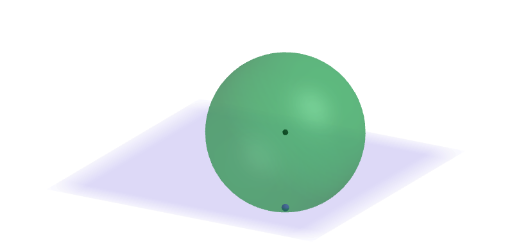
This interactive GeoGebra example demonstrates how slicing a sphere with a plane produces different cross-sectional shapes. The core mathematical concept is solid geometry, specifically cross sections of three-dimensional figures. Users can visually explore that every cross section of a sphere is a circle (including a point when the plane is tangent), and investigate how the size of the circle changes with the plane's position and orientation. The construction uses GeoGebra commands such as Sphere to create the solid, Plane to define the cutting plane, IntersectPath to compute the intersection curve, and Circle to display the resulting cross section. Interactive elements include sliders and a dropdown menu (SelectedIndex) to adjust the plane dynamically. This resource is suitable for middle school to high school students (grades 6-8 and above) learning geometry, and is also valuable for teachers demonstrating spatial reasoning in the classroom. It encourages open-ended questions, such as listing possible cross-section shapes and evaluating whether all cross sections have the same area.
GeoGebra Commands & Parameters
Sphere((2.5, -2.5, 2.5), 2.5) → sphPointIn(sph) → BPointIn(sph) → CSelectedIndex(ddMenu) → isPointIn(sph) → APlane(A, B, C) → pExploreIntersectPath(pBase, sph) → sezOrIntersectPath(If[pSli < 0, pPar1, pPar2], sph) → sezOrthIntersectPath(pExplore, sph) → sezExplCircle(Center[sph], 2.5, z = 0) → mainDCircle(Center[sph], 2.5, x = 0) → secDCenter(sph) → K
AI Drawing Prompt Reference
Draw a sphere with a radius of 2.5 and randomly select three points A, B, and C on the sphere. Use these points to define a plane pExplore. Create a slider is to adjust the position of the plane and observe the shape of the cross-section formed by the intersection of the sphere and the plane. The center of the sphere is K, and the circles formed by the intersection of the sphere with the x-axis and z-axis are secD and mainD.
The prompt above was compiled from the original drawing commands and is for reference only.