
Properties of Tangents Drawn to Circles (Discovery Investigation)
Loading the math board and drawing, please wait…
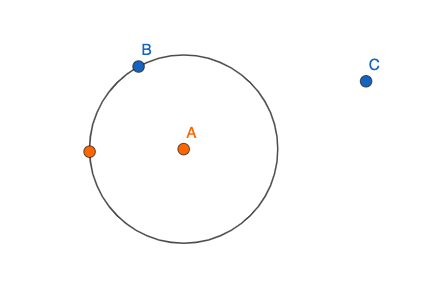
This interactive GeoGebra example demonstrates the key properties of tangents drawn from an external point to a circle, such as equal tangent lengths and the perpendicularity between the radius and the tangent at the point of contact. The core mathematical concepts include the definition of a tangent line, the tangent length theorem, right triangle relationships, and symmetry. The construction uses GeoGebra commands: Circle to define the circle, Point to create the external point and tangent points, Distance to measure tangent segment lengths, and PointIn to assist in locating points on the circle. By dragging the external point, learners can dynamically observe how these properties remain invariant. This resource is ideal for middle or high school geometry classes, supporting discovery-based learning and teacher-led demonstrations.
GeoGebra Commands & Parameters
Circle(A, B_1) → cPoint(c) → BDistance(A, B_1) → aPointIn(b) → C
AI Drawing Prompt Reference
Draw a circle with a draggable external point outside it, construct two tangents from this external point to the circle, label the lengths of both tangent segments, show the radii connecting the center to the points of tangency, and demonstrate that each radius is perpendicular to its corresponding tangent, allowing the user to drag the external point to observe these geometric relationships remain invariant.
The prompt above was compiled from the original drawing commands and is for reference only.