
Parts of a Circle: Radius, Diameter, Chord, Arc and Sector
Loading the math board and drawing, please wait…
In collections
Euclidean Geometry
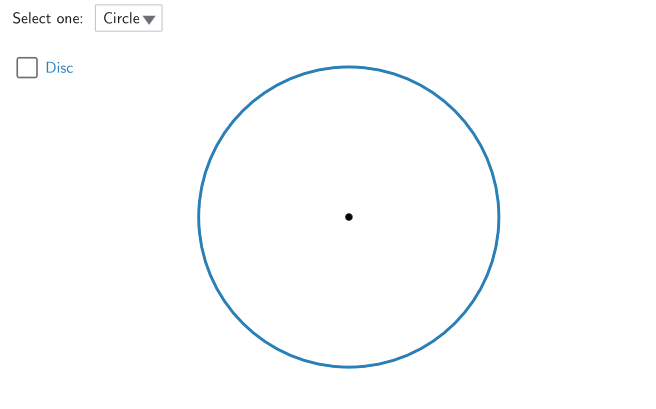
This example uses interactive GeoGebra constructions to help learners explore and identify the main parts of a circle. It visually connects circle elements—center, radius, diameter, chord, arc, and sector (and optionally semicircle/annulus)—with their defining relationships. The core math concepts are the basic geometry of a circle: how radii determine diameter, how a chord is formed by intersecting a circle with a line segment, and how arcs and sectors are determined by points on the circle and the central angle. Construction highlights from the given GeoGebra command set include: Circle and Point for building the circle and defining points (e.g., disc/cerchio/circ, and the center O); Line/Segment combined with Intersect to create chords and compute intersection points; CircleArc for arcs (arcoAB/arcoBA); CircleSector for sectors (sect1/sect2); Radius for radii (radiA/radiB); AngularBisector and Tangent to demonstrate angle bisectors and tangent-related features; Semicircle and related objects for half-circle/diameter variants; and If, SelectedIndex, and PointIn to drive conditional display, selection logic, and region membership checks (e.g., inner/innerRad and annulus inner region). Suitable for middle school through high school geometry lessons, practice, and interactive classroom demonstration.
GeoGebra Commands & Parameters
Circle(O, B_1) → givenPoint(given) → ALine(A, O) → a_1Intersect(given, a_1, 2) → DPoint(given) → BSegment(O, A) → radiASegment(A, D) → diamSegment(A, B) → chordCircleArc(O, A, B) → arcoABCircleArc(O, B, A) → arcoBACircleSector(O, A, B) → sect1CircleArc(O, A, B) → segm1CircleArc(O, B, A) → segm2Radius(given) → givenRadPointIn(feasibleAn) → A'Circle(O, A') → annSemicircle(D, A) → semicSegment(D, A) → diamTrattCircleSector(O, A, D) → halfDiscCircleSector(O, B, A) → sect2SelectedIndex(ddMenuEn) → isSelectedIndex(ddMenuIt) → isItCircle(O, A') → innerRadius(inner) → innerRadSegment(O, B) → radiBAngle(A, O, B) → ang1Angle(B, O, A) → ang2Segment(O, A) → radTratt1Segment(O, B) → radTratt2Point(given) → ISegment(B, I) → inscr2Segment(I, A) → inscr1Angle(B, I, A) → inscrAngIf(arg(A) > 0°, arg(A), arg(A) + 360°) → ppAIf(arg(B) > 0°, arg(B), arg(B) + 360°) → ppBIf(arg(I) > 0°, arg(I), arg(I) + 360°) → ppIAngularBisector(B, I, A) → bisettrIntersect(Arc[given, A, B], bisettr) → IN,Segment(A, B) → segmABTangent(A, given) → tgA,Segment(A1, A2) → segmTgAngle(B, A, A1) → tempAngIf(tempAng ≠ inscrAng, Angle[B, A, A2], Angle[B, A, A1]) → angCirc2
AI Drawing Prompt Reference
Draw a circle with key elements such as the center, radius, diameter, chord, arc, and sector. The center is the circle's center, the radius is the distance from the center to the circumference, and the diameter is the longest chord passing through the center. A chord is formed by a line intersecting the circle, while arcs and sectors are determined by points on the circle and central angles. The construction order: first draw the circle and center, then the radius and diameter, followed by the chord and arc, then the sector and semicircle, and finally add tangent lines and angle bisectors.
The prompt above was compiled from the original drawing commands and is for reference only.