
Three Parallel Planes: A Solid Geometry Construction Demo
Loading the math board and drawing, please wait…
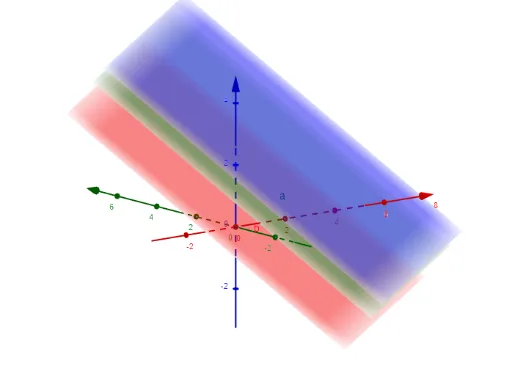
This example demonstrates how to construct three parallel planes in 3D space and visualize their shared orientation and spatial placement. Key concepts include solid geometry planes, the condition for parallelism, and deriving plane relationships from geometric constraints. Construction-wise, it relies on the GeoGebra commands Determinant and IntersectPath: Determinant is used to compute/verify the needed coefficients and independence among constructed elements, while IntersectPath helps position the resulting objects consistently with the prescribed geometric paths or constraints. The listed objects (M, d, c, b, a, f, g, h) indicate intermediate points/lines/paths and supporting geometry used to generate the final set of parallel planes. Suitable for upper-secondary solid geometry, introduction to analytic 3D geometry, and classroom demonstrations or student investigations.
GeoGebra Commands & Parameters
Determinant(M) → dIntersectPath(a, b) → fIntersectPath(a, c) → gIntersectPath(b, c) → h
AI Drawing Prompt Reference
Draw three parallel planes in 3D space. Start by defining a point M, then construct three parallel lines a, b, and c through M. Use the IntersectPath command to find the intersection points f, g, and h between a and b, a and c, and b and c, respectively, to illustrate the parallel relationship and spatial placement of the three planes.
The prompt above was compiled from the original drawing commands and is for reference only.