
Solving 2×2 and 3×3 Systems with Cramer’s Rule
Loading the math board and drawing, please wait…
In collections
Arithmetic and Algebra
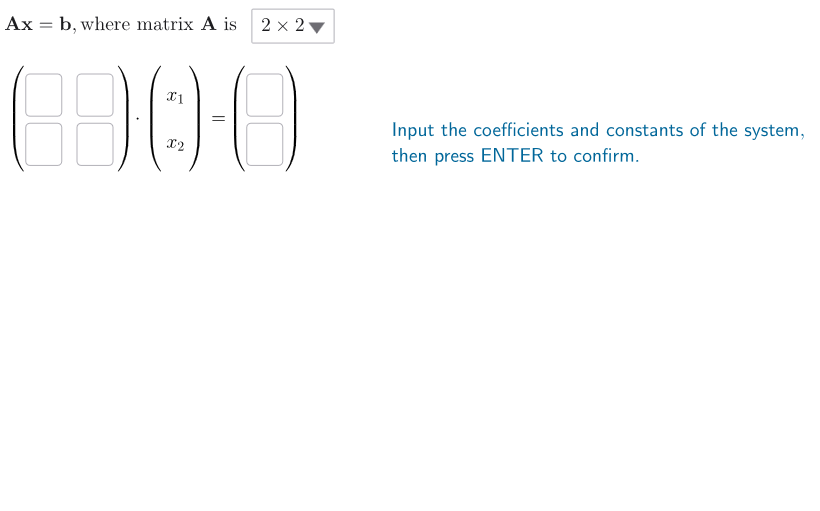
This GeoGebra example demonstrates a step-by-step workflow for solving linear equation systems of sizes 2×2 and 3×3 using Cramer’s Rule. It highlights how determinants of a coefficient matrix and determinant values of column-replaced matrices lead directly to the solution components. Key concepts include linear systems, matrices, determinants (determinant-based computation), and the Cramer’s Rule mechanism: replace one column with the constants vector to form numerators, divide by the determinant of the original coefficient matrix (the denominator). Construction-wise, the model uses Determinant to compute all needed determinants, Textfield to input coefficients/constant terms, SelectedIndex to choose whether the case is 2×2 or 3×3, and If to switch logic between branches. It defines matrix entries a11–a33 and constants b1–b3, builds main matrices A2/A3 and corresponding replacement matrices (B2/B3, A2X/A2Y, A3X/A3Y/A3Z), computes denominator determinants dA2/dA3 and numerator determinants dA2X/dA2Y and dA3X/dA3Y/dA3Z, and outputs solution variables case2SolX/case2SolY and case3SolX/case3SolY/case3SolZ. Suitable for high school advanced algebra, early undergraduate linear algebra, and math instruction where understanding determinant-based solving is the goal.
GeoGebra Commands & Parameters
Determinant(A2) → dA2Determinant(A3) → dA3Determinant(A3X) → dA3XDeterminant(A3Y) → dA3YDeterminant(A3Z) → dA3ZDeterminant(A2X) → dA2XDeterminant(A2Y) → dA2YTextfield(a11) → inA11Textfield(a12) → inA12Textfield(a13) → inA13Textfield(a21) → inA21Textfield(a22) → inA22Textfield(a23) → inA23Textfield(a31) → inA31Textfield(a32) → inA32Textfield(a33) → inA33Textfield(b1) → inB1Textfield(b2) → inB2Textfield(b3) → inB3SelectedIndex(ddmenu) → isIf(is ≟ 1, pos11X - 13 + (2 * hDist), pos11X - 10 + (3 * hDist)) → posBraRightAXIf(is ≟ 1, pos11X + (3.9 * hDist), pos11X + (4.9 * hDist)) → posBraLeftBIf(is ≟ 1, pos11X + (4.3 * hDist), pos11X + (5.35 * hDist)) → posInputBXIf(is ≟ 1, pos11X + (5 * hDist), pos11X + (6.1 * hDist)) → posBraRightBIf(oneSol, 1, 4) → speed
AI Drawing Prompt Reference
Create a visual step-by-step workflow that illustrates solving linear systems with Cramer’s rule for either a 2×2 or 3×3 case, using a toggle/branch choice. Show an input area for the coefficient matrix entries (including fields for a11–a33) and an input area for the constants vector components (b1–b3). Build and display determinant values: compute the determinant of the original coefficient matrix as the denominator, then form column-replaced matrices by substituting each relevant column with the constants vector and compute their determinants as numerators. For the 2×2 branch, present the two solution components; for the 3×3 branch, present three solution components. Summarize the chosen branch’s determinant-based computation path in text outputs.
The prompt above was compiled from the original drawing commands and is for reference only.