
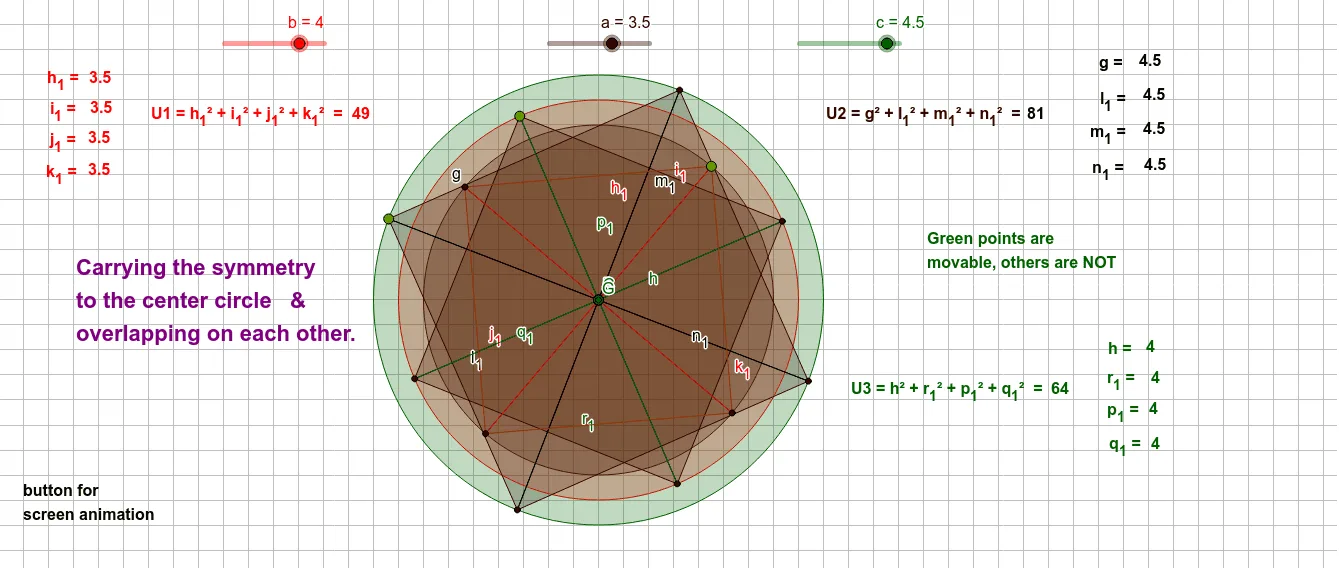
Three overlapping squares on screen
Loading the math board and drawing, please wait…
This example demonstrates drawing three overlapping squares on a screen. Core math concepts include squares, polygons, geometric transformations, and symmetry. Construction highlights involve commands/objects like Circle, Point, Segment, Rotate, Angle, Polygon, and Intersect from GeoGebra. Suitable for high school students learning geometric constructions and transformations.
GeoGebra Commands & Parameters
Circle(A, a) → dCircle(B, b) → eCircle(C, c) → fPoint(e) → DPoint(d) → EPoint(f) → FSegment(B, D) → iSegment(A, E) → jSegment(C, F) → kRotate(D, 90°, B) → D'Angle(D, B, D') → αSegment(B, D') → lRotate(D', 90°, B) → D''Angle(D', B, D'') → βSegment(B, D'') → mRotate(D'', 90°, B) → D'''Angle(D'', B, D''') → γSegment(B, D''') → nPolygon(D', D, D''', D'') → q1, d', d_1, d''', d''Rotate(F, 90°, C) → F'Angle(F, C, F') → δSegment(C, F') → pRotate(F', 90°, C) → F''Angle(F', C, F'') → εSegment(C, F'') → qRotate(F'', 90°, C) → F'''Angle(F'', C, F''') → ζSegment(C, F''') → rPolygon(F, F', F'', F''') → q2, f_1, f', f'', f'''Rotate(E, 90°, A) → E'Angle(E, A, E') → ηSegment(A, E') → sRotate(E', 90°, A) → E''Angle(E', A, E'') → θSegment(A, E'') → tRotate(E'', 90°, A) → E'''Angle(E'', A, E''') → ιSegment(A, E''') → g_1Segment(B, E') → h_1Segment(B, E) → i_1Segment(B, E'') → j_1Segment(B, E''') → k_1Segment(A, F) → gSegment(A, F') → l_1Segment(A, F''') → m_1Segment(A, F'') → n_1Segment(C, D''') → hSegment(C, D) → p_1Segment(C, D') → q_1Intersect(p, q_1) → GSegment(C, D'') → r_1Polygon(E, E', E'', E''') → q3, e_1, e', e'', e'''
AI Drawing Prompt Reference
Draw three overlapping squares on the canvas. Start by placing three non-collinear points as centers, each with a circle around it. Pick a point on each circle as a starting vertex. From each center, draw a segment to its vertex. Then rotate each vertex around its center by 90 degrees three times, connecting the center to each new rotated vertex and joining consecutive rotated vertices to form a square. Finally, connect centers to some rotated vertices of other squares with segments, creating intersecting lines that make the squares overlap visually.
The prompt above was compiled from the original drawing commands and is for reference only.