
GeoGebra Visualization of the Octahedron-to-Sphere Volume Ratio
Loading the math board and drawing, please wait…
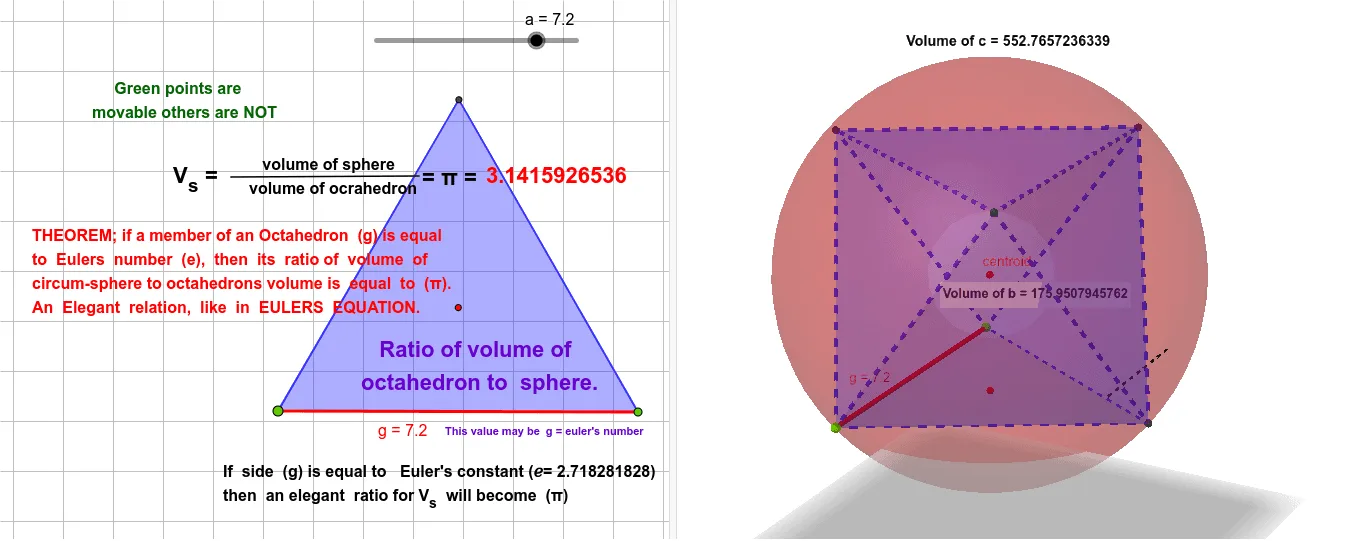
This example demonstrates how to construct an octahedron and a corresponding sphere in the same 3D scene, then compute and visualize the ratio of their volumes. It highlights a clear spatial relationship between two classic solid shapes. Key concepts include solid geometry (octahedron and sphere), volume measurement, and center-related constructions such as centroid and midpoints to define the geometry consistently. The construction uses GeoGebra commands like Point, Polygon, and Octahedron to create vertices and faces, Sphere to build the sphere, Centroid and Midpoint to locate the relevant central points, and PointIn and Segment to establish geometric relationships. Finally, Volume is used to compute the individual volumes (e.g., volumec and volumeb), with text/label objects to present the resulting values or ratio. Suitable for advanced secondary students, early undergraduate learners, and exploratory geometry learning.
GeoGebra Commands & Parameters
Point(Circle[A, a]) → BPolygon(A, B, 3) → poly1, g, h, i, COctahedron(poly1, true) → b, D, faceDEF, edgeAF, edgeCF, edgeAD, edgeDF, edgeBD, edgeBE, edgeDE, edgeCE, edgeEF, E, F, faceACF, faceADF, faceABD, faceBDE, faceBCE, faceCEFCentroid(poly1) → cantroidMidpoint(E, A) → centroidSphere(centroid, F) → cVolume(c) → volumecPointIn(c) → PointcVolume(b) → volumebPointIn(b) → PointbSegment(G, H) → f
AI Drawing Prompt Reference
Construct an octahedron and a corresponding sphere in a 3D scene, then calculate and visualize the ratio of their volumes. First, create the vertices and faces of the octahedron, then build a sphere centered at the geometric center of the octahedron. Compute the volumes of both shapes and display the results and their ratio using text labels. The construction should highlight the spatial relationship between the two shapes and use central points like centroids and midpoints to define the geometry consistently.
The prompt above was compiled from the original drawing commands and is for reference only.