
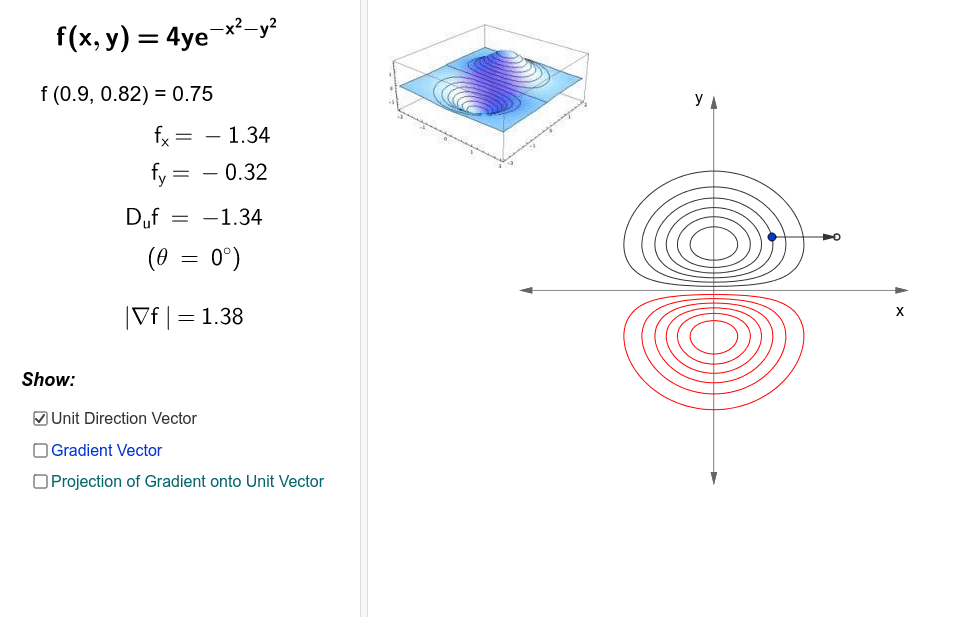
The Gradient Vector and Directional Derivative
Loading the math board and drawing, please wait…
GeoGebra Commands & Parameters
Circle(D, 1) → gPoint(g) → GPoint(xAxis) → CPoint(yAxis) → BSegment((24, 0), (24, P)) → aVector(D, D + (((((-1 * 8) * exp((-1 * x(D)^(2)) - y(D)^(2))) * x(D)) * y(D)), (4 * exp((-1 * x(D)^(2)) - y(D)^(2))) - ((8 * exp((-1 * x(D)^(2)) - y(D)^(2))) * y(D)^(2)))) → gradientVector(D, G) → uLength(gradient) → bLength(gradient) → normGradVector(D, D + (u * du)) → proj
AI Drawing Prompt Reference
Draw a graph showing the gradient vector of a function. Start by drawing a unit circle g, then take a point C on the x-axis and a point B on the y-axis. Choose a point D on the circle, draw a perpendicular segment a from D to the x-axis. Calculate the gradient vector at D, then draw a vector u from D to G. Compute the length b and norm normGrad of the gradient vector. Finally, draw the projection proj of the gradient vector in the direction of u.
The prompt above was compiled from the original drawing commands and is for reference only.