
Surface of Revolution
Loading the math board and drawing, please wait…
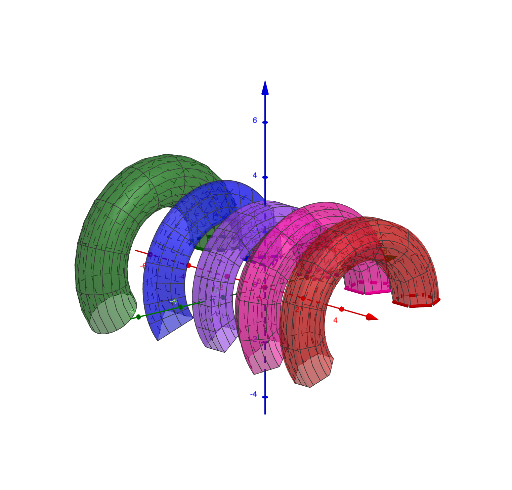
This example demonstrates the generation of a surface of revolution. Key mathematical concepts include rotation, surface, and function. Using GeoGebra commands such as Polygon, Circle, and Surface, a surface of revolution can be constructed. Suitable for high school mathematics education and learning.
GeoGebra Commands & Parameters
Polygon(A, B, 4) → poly1, f, g, h, i, C, DPolygon(E, F, 5) → poly2, j, k, l, m, n, G, H, IPolygon(J, K, 6) → poly3, p, O, q, r, s, t, a, L, M, NCircle(P, Q) → cPolygon(R, S, 3) → poly4, b, d, e, TSurface(poly3, α, xAxis) → a_1Surface(poly2, α, xAxis) → wSurface(poly1, α, xAxis) → vSurface(poly4, α, xAxis) → uSurface(c, α, xAxis) → o
AI Drawing Prompt Reference
Create a surface of revolution by rotating a series of polygons and a circle around the x-axis. First, draw four polygons, then draw a circle. Next, generate four surfaces of revolution based on these polygons and the circle.
The prompt above was compiled from the original drawing commands and is for reference only.