
SSA Theorem Exploration
Loading the math board and drawing, please wait…
In collections
Congruence (CO) Cluster
Congruence (Vol 1)
Congruence (Vol 1) Over 80 Resources
Geometry (Congruence) Volume 1
CCSS High School: Geometry (Congruence) Volume 1 S N ATTAR
CCSS High School: Geometry (Congruence) Volume 1
CCSS High School: Geometry (Congruence) Volume 1
CCSS High School: Geometry (Congruence) Volume 1
CCSS High School: Geometry (Congruence) Volume 1
CCSS High School: Geometry (Congruence) Volume 1
CCSS High School: Geometry (Congruence) Volume 1
CCSS High School: Geometry (Congruence) Volume 1
CCSS High School: Geometry (Congruence) Volume 1
CCSS High School: Geometry (Congruence) Volume 1
CCSS High School: Geometry (Congruence) Volume 1
CCSS High School: Geometry (Congruence) Volume 1
Unit 5: Triangle Congruence
Triangle Congruence Theorems 1
Proving Triangles Congruent
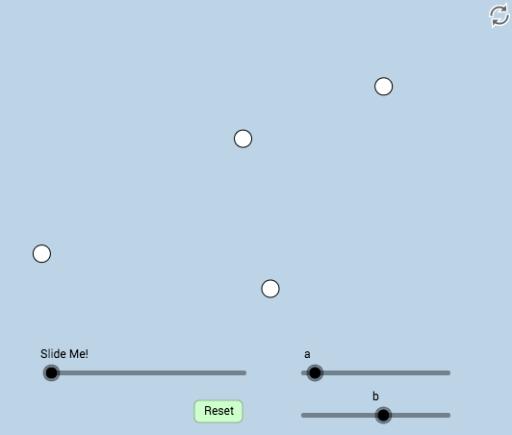
This interactive example demonstrates constructing triangles given two sides and a non-included angle, exploring the SSA condition. Users can adjust the side lengths and angles to visually understand the applicability and limitations of the SSA theorem. The construction uses commands like Circle, Ray, Segment, Mirror, and Polygon in GeoGebra. Suitable for high school geometry students and teachers.
GeoGebra Commands & Parameters
Intersect(xAxis, yAxis) → APoint(xAxis) → BCircle(A, b) → cRay(A, B) → fCircleArc(A, C, D) → dPoint(d) → ECircle(E, a) → eIntersect(g, f) → FSegment(E, F) → hSegment(E, A) → iIntersect(e, f) → G, HSegment(E, H) → jMirror(E, h) → E'Mirror(H, h) → H'Segment(E', H') → j'Circle(I, i) → kPoint(k) → JCircle(I, Distance[A, G]) → pSegment(I, J) → lCircle(J, j) → qIntersect(p, q, 2) → KSegment(J, K) → mSegment(K, I) → nSegment(A, G) → rMin(r, i) → oCircle(A, (0.4 * o)) → sIntersect(s, r, 1) → LIntersect(s, i, 1) → MCircleSector(A, L, M) → tPolygon(A, G, E) → poly1, e_1, a_1, g_1Dilate(A, If[1 < u ≤ 2, 2 - u, 0], E) → A'Segment(A, A') → f_1Angle(L, A, M) → αRotate(L, If[0 < u ≤ 1, (u * α), α], A) → L'CircleSector(A, L, L') → c_1Dilate(E, If[2 < u ≤ 3, 3 - u, 0], G) → E'_1Segment(E, E'_1) → h_1Ray(I, K) → i_1Line(A, i_1) → j_1Point(j_1) → NAngle(G, A, N) → βDilate(A, If[4 < u ≤ 5, 5 - u, 0], I) → A'_1Vector(A, A'_1) → vTranslate(c_1, v) → d_1Rotate(d_1, If[5 < u ≤ 6, ((u - 5) * β), β], I) → k_1Dilate(A, If[6 < u ≤ 7, 7 - u, 0], I) → E'_2Vector(A, E'_2) → wTranslate(A, w) → A'_2Translate(A', w) → A''Segment(A'_2, A'') → l_1Rotate(A'_2, If[7 < u ≤ 8, ((u - 7) * β), β], I) → ORotate(A'', If[7 < u ≤ 8, ((u - 7) * β), β], I) → A'''Segment(O, A''') → m_1Dilate(E, If[8 < u ≤ 9, 9 - u, 0], J) → E'_3Line(J, h_1) → p_1Dilate(G, If[8 < u ≤ 9, 9 - u, 0], K) → G'Vector(G, G') → u_1Translate(E, u_1) → E'_4Translate(E'_1, u_1) → PSegment(E'_4, P) → n_1Line(K, J) → q_1Point(n_1) → QAngle(Q, K, J) → γRotate(E'_4, If[9 < u ≤ 10, ((u - 9) * γ), γ], K) → RRotate(P, If[9 < u ≤ 10, ((u - 9) * γ), γ], K) → P'Segment(R, P') → r_1Dilate(A, If[10 < u ≤ 11, 11 - u, 0], I) → A'_3Vector(A, A'_3) → v_1Translate(A, v_1) → A'_4Translate(G, v_1) → G'_1Translate(E, v_1) → E'_5Polygon(A'_4, G'_1, E'_5) → poly1', e'_5, a'_4, g'_1Rotate(A'_4, If[11 < u ≤ 12, ((u - 11) * β), β], I) → SRotate(G'_1, If[11 < u ≤ 12, ((u - 11) * β), β], I) → TRotate(E'_5, If[11 < u ≤ 12, ((u - 11) * β), β], I) → UPolygon(S, T, U) → poly1'', u_2, s_1, t_1Polygon(A, E, G) → poly2, g_2, a_2, e_2
AI Drawing Prompt Reference
Draw a triangle given two sides and a non-included angle. Start with points A and B, draw a circle with center A and radius b, and another circle with center B and radius a. Find the intersection points E and F of these circles, and use them to form triangle AEG. Draw line segments AE and AF, and then construct triangle AEG. Use point A and G to draw a circle, find its intersection with AE at point J, and draw line segment EJ. Reflect EJ to get E'H', and finally construct triangle AE'G.
The prompt above was compiled from the original drawing commands and is for reference only.