
Square Homothety and Rotation Transformation
Loading the math board and drawing, please wait…
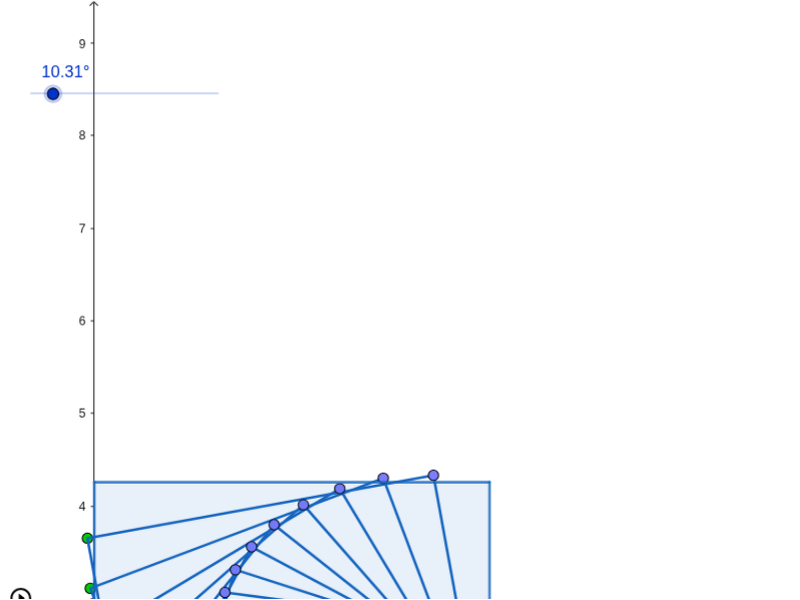
This GeoGebra example demonstrates the combined transformation of a square under homothety (dilation) and rotation, showing how scale and angle change dynamically with parameters. It involves core concepts such as affine transformations, rotational geometry, polygon properties, and the use of sequences for animation. Construction uses the Polygon command to define the square's vertices and the Sequence command to generate the transformation animation, with key objects including vertices A, B, C, D, parameters t and n, and lines l1 through l5. It is suitable for high school geometry, transformation geometry units, and GeoGebra-based math education, helping students visualize the combined effects of dilation and rotation on a square.
GeoGebra Commands & Parameters
Polygon(A, B, C, D) → c1, a, b, c, dSequence(Dilate[Rotate[A, (i * t), E], p^(i), E], i, 1, n) → l1Sequence(Dilate[Rotate[B, (i * t), E], p^(i), E], i, 1, n) → l2Sequence(Dilate[Rotate[D, (i * t), E], p^(i), E], i, 1, n) → l4Sequence(Dilate[Polygon[Rotate[A, (i * t), E], Rotate[B, (i * t), E], Rotate[C, (i * t), E], Rotate[D, (i * t), E]], p^(i), E], i, 1, n) → l5Sequence(Dilate[Rotate[C, (i * t), E], p^(i), E], i, 1, n) → l3
AI Drawing Prompt Reference
Draw a square and show its changes under scaling and rotation. The square has four vertices A, B, C, D. The scaling factor and rotation angle change with parameters t and n. The construction order is to first draw the square, then apply scaling and rotation sequentially to generate a series of transformed figures.
The prompt above was compiled from the original drawing commands and is for reference only.