
Pentagram
Loading the math board and drawing, please wait…
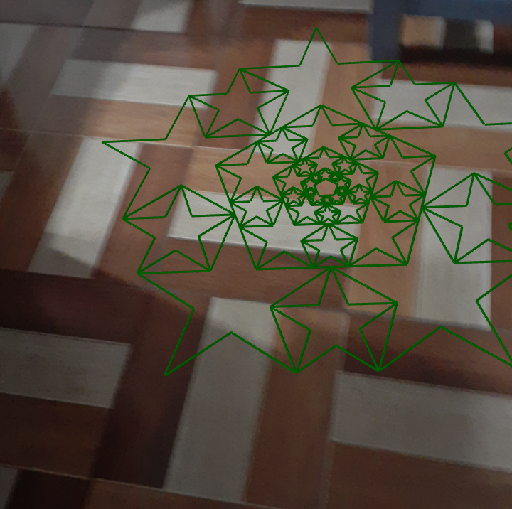
This example demonstrates how to draw a pentagram. The core mathematical concepts involved are geometric shapes and sequences. Using the Sequence command, the edges of the pentagram are constructed. Suitable for middle school and above students to learn geometric construction.
GeoGebra Commands & Parameters
Sequence(Dilate[Sequence[Dilate[PolyLine[Sequence[(r^(Mod[j, 2]) * ί^(-1 + 2 / n + (2 / n * j))), j, 0, (2 * n)]], r^(1.5^(Mod[k, 2])), ((cos(π / n))^(Mod[k, 2]) * ί^(-1 + 2 / n + (2 / n * k)))], k, 0, (2 * n) - 1], s^(l)], l, 0, 3) → l1Sequence(Dilate[Sequence[Dilate[PolyLine[Sequence[(r^(Mod[j, 2]) * ί^(-1 + 2 / n + (2 / n * j))), j, 0, (2 * n)]], r^(1.5^(Mod[k, 2])), ((cos(π / n))^(Mod[k, 2]) * ί^(-1 + 2 / n + (2 / n * k)))], k, 0, (2 * n) - 1], s^(l)], l, 0, 3) → l2
AI Drawing Prompt Reference
Draw a pentagram in the plane. First generate a set of points indexed by integers from a fixed range, where their coordinates follow a structured rule using powers and trigonometric terms (involving cos(π/n)) so that the points lie in a rotationally consistent pattern. Connect these points in sequence with a polyline to form the star’s edge path. Then construct a second polyline from the same type of point-generation and connect it similarly so that the corresponding edges align in the same coordinate frame, yielding the complete pentagram outline formed by the characteristic symmetric edges.
The prompt above was compiled from the original drawing commands and is for reference only.