
Constructing Golden Rectangles and Golden Spirals
Loading the math board and drawing, please wait…
In collections
Bling things
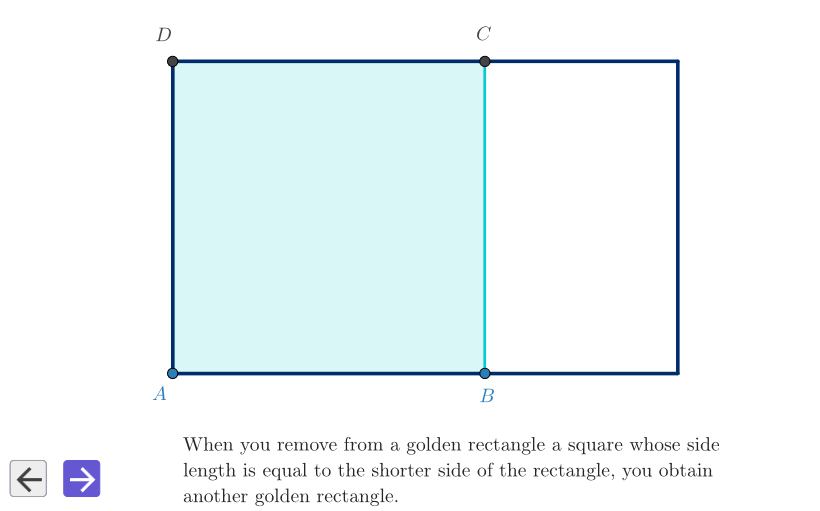
This GeoGebra example demonstrates how to construct a golden spiral from golden rectangles, highlighting geometric properties and different construction approaches (with and without GeoGebra assistance). It centers on the golden ratio via the defining split of a rectangle into a smaller similar golden rectangle, then uses successive circular arcs to form the spiral. Key concepts include similarity, parallel and perpendicular constraints, midpoint/intersection-based construction, and the way circle arcs stitch together to produce the characteristic spiral shape. The build proceeds by defining control points, using distance and midpoint constraints to locate the golden subdivision, then finding intersection points and constructing orthogonal lines to determine circle centers and arc endpoints. Finally, polygons are used to visualize golden rectangles (e.g., multiple stages) while circles and CircleArc objects draw the spiral consistently. GeoGebra commands used include Point, PointIn, Distance, Midpoint, Polygon, Circle, Ray, Intersect, OrthogonalLine, and CircleArc, with objects such as goldPoly, poly1, and poly2 organizing the rectangle/spiral components. Suitable for secondary math enrichment through early university geometry and dynamic geometry exploration.
GeoGebra Commands & Parameters
Point(xAxis) → PEEPSTPointIn(peep) → APointIn(peep) → BDistance(A, B) → ragMidpoint(A, B) → EPolygon(A, B, 4) → squa, f, g, h, i, C, DCircle(E, Segment[E, C]) → cfrEECRay(A, B) → semiABIntersect(cfrEEC, semiAB) → F,OrthogonalLine(F, semiAB) → perpABRay(D, C) → semiDCIntersect(perpAB, semiDC) → GPolygon(A, F, G, D) → goldPoly, a, f_1, g_1, dPolygon(B, F, 4) → poly1, j, l, m, n, H, IPolygon(H, G, 4) → poly2, p, q, r, s, J, KPolygon(J, C, 4) → poly3, t, b, c, e, L, MPolygon(L, I, 4) → poly4, h_1, i_1, j_1, k_1, N, PIntersect(t, b) → QCircleArc(Q, D, B) → c_1CircleArc(I, B, H) → d_1CircleArc(K, H, J) → e_1CircleArc(M, J, L) → p_1CircleArc(P, L, N) → q_1Polygon(N, K, 4) → poly5, l_1, m_1, n_1, r_1, R, SCircleArc(S, N, R) → s_1Polygon(R, M, 4) → poly6, t_1, a_1, b_1, f_2, T, UCircleArc(U, R, T) → c_2Polygon(T, P, 4) → poly7, g_2, h_2, i_2, j_2, V, WCircleArc(W, T, V) → d_2
AI Drawing Prompt Reference
Draw a figure containing multiple golden rectangles and a golden spiral. Start by creating a rectangle, then divide it into two smaller similar rectangles using the golden ratio. Use arcs to connect the vertices of these rectangles to form the golden spiral. Finally, use polygons to draw these rectangles and the spiral. Each rectangle has a length-to-width ratio of the golden ratio, and the spiral is composed of a series of arcs with endpoints at the vertices of the rectangles.
The prompt above was compiled from the original drawing commands and is for reference only.