
Adding Fractions with Fraction Squares
Loading the math board and drawing, please wait…
In collections
Erstes Rechnen mit Brüchen - Addieren
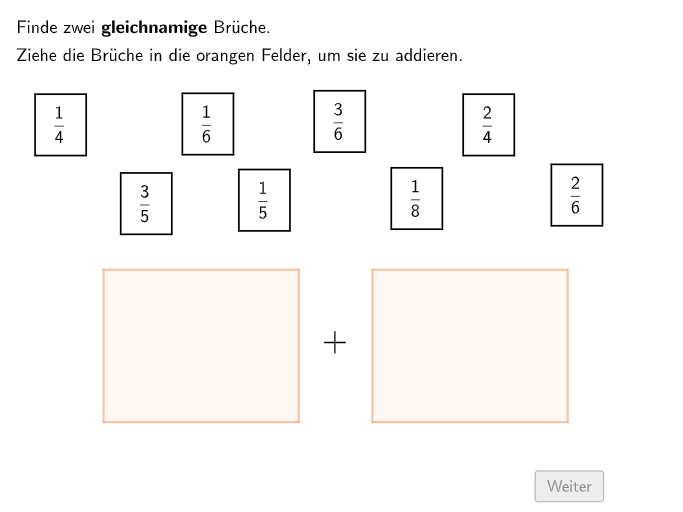
This GeoGebra example uses visual fraction squares (Bruchquadraten) to help students understand the addition of fractions with like denominators. It demonstrates how to add two fractions and represent the sum graphically. The core mathematical concept is fraction addition, specifically adding fractions with the same denominator. The construction uses commands such as Textfield, Polygon, Midpoint, Length, Sequence, and Join to create the fraction squares and interactive elements. Multiple buttons (btnCont, btnAgain, btnBack) and input boxes (InputBox1-4) allow students to enter fractions and check their answers. The example is designed for grades 5-6, offering open-ended questions and multiple-choice items to practice fraction addition and visual representation. It is suitable for classroom use or self-study, promoting both computational skills and geometric understanding.
GeoGebra Commands & Parameters
Textfield(input1) → InputBox1Textfield(input2) → InputBox2Textfield(input3) → InputBox3Textfield(input4) → InputBox4Polygon(A, C, B, D) → VL, a, c, b, dMidpoint(Corner[BText41, 1], Corner[BText41, 3]) → BPos41Midpoint(Corner[BText42, 1], Corner[BText42, 3]) → BPos42Midpoint(Corner[BText51, 1], Corner[BText51, 3]) → BPos51Midpoint(Corner[BText53, 1], Corner[BText53, 3]) → BPos53Midpoint(Corner[BText61, 1], Corner[BText61, 3]) → BPos61Midpoint(Corner[BText62, 1], Corner[BText62, 3]) → BPos62Midpoint(Corner[BText63, 1], Corner[BText63, 3]) → BPos63Midpoint(Corner[BText81, 1], Corner[BText81, 3]) → BPos81Polygon(E, G, F, H) → VR, e, g, f, hLength({Mod[counterVL1, 2] ≟ 1, Mod[counterVL2, 2] ≟ 1, Mod[counterVL3, 2] ≟ 1, Mod[counterVL4, 2] ≟ 1, Mod[counterVL5, 2] ≟ 1, Mod[counterVL6, 2] ≟ 1} \ {false}) → vlactivatedLength({Mod[counterVR1, 2] ≟ 1, Mod[counterVR2, 2] ≟ 1, Mod[counterVR3, 2] ≟ 1, Mod[counterVR4, 2] ≟ 1, Mod[counterVR5, 2] ≟ 1, Mod[counterVR6, 2] ≟ 1} \ {false}) → vractivatedSequence(I + (i * Vector[I, J] / nenner1), i, 0, nenner1) → Q1POSequence(L + (i * Vector[I, J] / nenner1), i, 0, nenner1) → Q1PUSequence(M + (i * Vector[I, J] / nenner2), i, 0, nenner2) → Q2POSequence(P + (i * Vector[I, J] / nenner2), i, 0, nenner2) → Q2PUSequence(Q + (i * Vector[I, J] / nenner2), i, 0, nenner2) → Q3POSequence(T + (i * Vector[I, J] / nenner2), i, 0, nenner2) → Q3PUJoin({{Segment[I, J], Segment[I, L], Segment[L, K], Segment[K, J]}, Sequence[Segment[Q1PO(i), Q1PU(i)], i, 1, Length[Q1PO]]}) → Q1KantenJoin({{Segment[M, N], Segment[M, P], Segment[P, O], Segment[N, O]}, Sequence[Segment[Q2PO(i), Q2PU(i)], i, 1, Length[Q2PO]]}) → Q2KantenJoin({{Segment[Q, R], Segment[Q, T], Segment[T, S], Segment[S, R]}, Sequence[Segment[Q3PO(i), Q3PU(i)], i, 1, Length[Q3PO]]}) → Q3KantenPolygon(Q, R, S, T) → VRErgebnis, q, r, s, t
AI Drawing Prompt Reference
Draw two fraction-square models to visualize adding fractions with the same denominator. First create a left square frame using four corner points, then place equally spaced division points along its interior and connect them with straight segments to form the fraction-square grid and an activated fill area. Construct a second fraction square on the right with an outer four-corner polygon, using analogous division points and the same step size. Use user-entered numerators to generate the boundary positions by stepping along the grid direction, and connect the corresponding boundary points into grouped side segments. Finally, form a resulting quadrilateral area that represents the shown sum region, allowing visual comparison of the entered fractions.
The prompt above was compiled from the original drawing commands and is for reference only.