
Sort Expressions and Equations
Loading the math board and drawing, please wait…
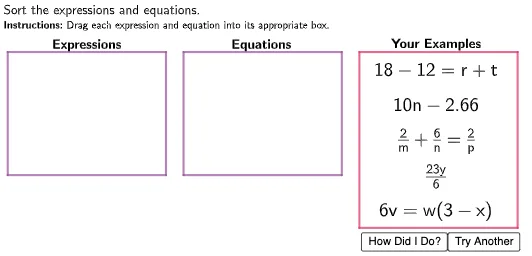
This example demonstrates how to sort and compare mathematical expressions and equations using GeoGebra. It involves core concepts like equations, percentages, similar triangles, upper and lower sums or Riemann sums, hypergeometric distribution, and roots. The construction uses commands like Polygon and objects such as TryAnother, Box1, f, g, h, i, Point1, Point2, Point3, Point4, Point5, Numbers, numExp, numEq, PointLocator, Example1, Example2, Example3, Example4, Example5, and Expressions. It is suitable for high school students and educators for teaching and exploring mathematical concepts.
GeoGebra Commands & Parameters
Polygon((0, 2.5), (0, 6), (4.5, 6), (4.5, 2.5)) → Box1, f, g, h, iPolygon((10, 1), (10, 6), (14.5, 6), (14.5, 1)) → Box3, n, p, q, rPolygon((5, 2.5), (5, 6), (9.5, 6), (9.5, 2.5)) → Box2, j, k, l, mPolygon(Point1, Point1 + (width1, 0), Point1 + (width1, -0.8), Point1 + (0, -0.8)) → DragBox1, s, t, a, bPolygon(Point2, Point2 + (width2, 0), Point2 + (width2, -0.8), Point2 + (0, -0.8)) → DragBox2, c, d, e, f_1Polygon(Point3, Point3 + (width3, 0), Point3 + (width3, -0.8), Point3 + (0, -0.8)) → DragBox3, g_1, h_1, i_1, j_1Polygon(Point4, Point4 + (width4, 0), Point4 + (width4, -0.8), Point4 + (0, -0.8)) → DragBox4, k_1, l_1, m_1, n_1Polygon(Point5, Point5 + (width5, 0), Point5 + (width5, -0.8), Point5 + (0, -0.8)) → DragBox5, p_1, q_1, r_1, s_1