
Collect Like Terms
Loading the math board and drawing, please wait…
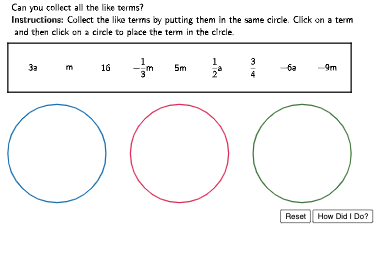
This example demonstrates how to collect like terms. It involves basic algebraic concepts such as the combination of polynomials. Using GeoGebra commands like Polygon, LaTeX, and Circle, the process of combining like terms is visually demonstrated. Suitable for students at the junior high school level and above to learn basic algebraic skills.
GeoGebra Commands & Parameters
Polygon((0, 6.5), (14, 6.5), (14, 4.5), (0, 4.5)) → TermBox, f, g, h, iLaTeX((((("\text{" * QUESTION) * "\\") * INSTRUCTIONS) * "}")) → InstrCircle((2, 2), 2) → Circ1OutlineCircle((7, 2), 2) → Circ2OutlineCircle((12, 2), 2) → Circ3Outline
AI Drawing Prompt Reference
Draw a rectangular box in the coordinate plane with left side at x = 0 and right side at x = 14, and with the top and bottom edges at y = 6.5 and y = 4.5. Then place three equal circles of radius 2 below it, with centers at (2,2), (7,2), and (12,2), arranged side by side on the same horizontal level.
The prompt above was compiled from the original drawing commands and is for reference only.