
Simple Fraction Addition-for Junior Class
Loading the math board and drawing, please wait…
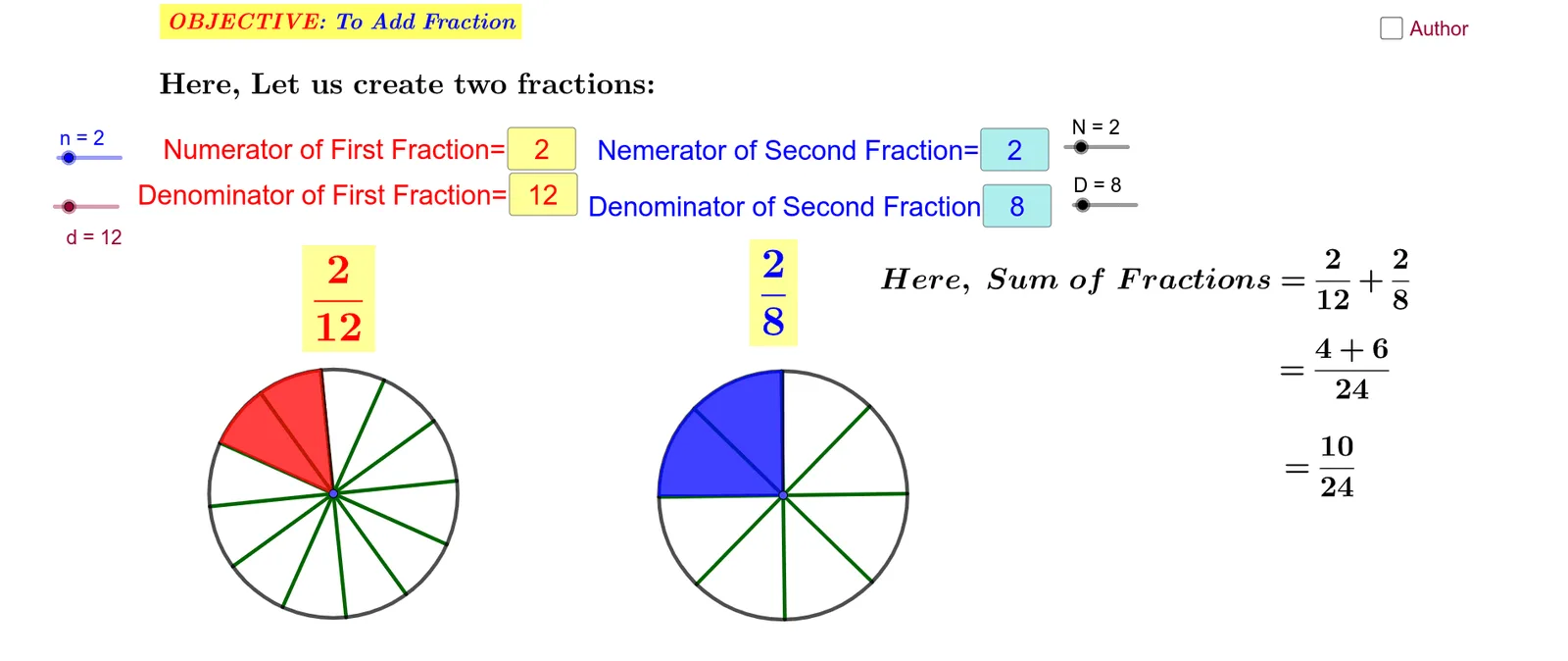
This example demonstrates the process of adding simple fractions. Key math concepts include fraction addition, Least Common Multiple (LCM), and text display. GeoGebra commands/objects used are: Circle, Point, Segment, Sequence, Rotate, Angle, CircleSector, LCM, Textfield. Suitable for junior students learning fraction addition.
GeoGebra Commands & Parameters
Circle(A, 3) → cCircle(B, 3) → d_1Point(c) → CPoint(d_1) → D_1Segment(A, C) → fSegment(B, D_1) → gSequence(Segment[A, Rotate[C, f°, A]], f, (360°) / d, 360, 360 / d) → l1Sequence(Segment[B, Rotate[D_1, g°, B]], g, (360°) / D, 360, 360 / D) → l2Rotate(C, (360° * n / d), A) → C'Angle(C, A, C') → αRotate(D_1, (360° * N / D), B) → D'Angle(D_1, B, D') → βCircleSector(A, C, C') → eCircleSector(B, D_1, D') → hLCM(d, D) → sTextfield(n) → InputBox1Textfield(d) → InputBox2Textfield(N) → InputBox3Textfield(D) → InputBox4
AI Drawing Prompt Reference
Draw two circles A and B with radius 3. Take a point C on circle A and a point D1 on circle B. Connect point A to C and point B to D1. Then rotate point C around point A and rotate point D1 around point B to form a series of sectors. Finally, display the least common multiple of d and D, and input n and N to control the rotation angle.
The prompt above was compiled from the original drawing commands and is for reference only.