
Searching for Factorizations
Loading the math board and drawing, please wait…
In collections
Prime and Composite Numbers
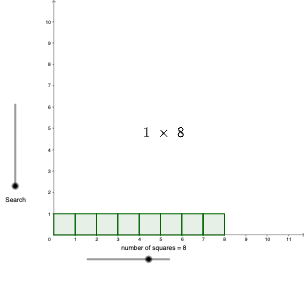
This example demonstrates how to find factorizations of natural numbers through graphics and calculations. The core mathematical concepts involved include arithmetic, natural numbers, rectangles, squares, function graphs, special points, angles, isosceles triangles, and variance. The construction uses GeoGebra commands Mod (modulus operation) and Sequence (sequence), along with objects like number, height, c, rem (remainder), l3, l2, d, and text1. Suitable for middle school and above students to understand factorization and number theory concepts.
GeoGebra Commands & Parameters
Mod(number, height) → remSequence(Sequence[Polygon[(i, j), (i + 1, j), 4], i, 0, c - 1], j, 0, height - 1) → l3, {{0.9999999999999999, 0.9999999999999999, 0.9999999999999998, 1, 0.9999999999999996, 1, 1, 1}}Sequence(Polygon[(floor(c), i), (floor(c) + 1, i), 4], i, 0, rem - 1) → l2, {}
AI Drawing Prompt Reference
Draw a factorization-search diagram in a coordinate plane using a rectangle-and-squares style. Take a natural number number and a chosen height height, and compute the remainder rem from the modulus idea (with rem acting as the visual dividing threshold). Build a grid of square blocks: for each column from 0 to c−1, place squares across rows from 0 to height−1, forming polygonal square strips. Then restrict attention to the region up to rem−1, outlining a segmented polygonal area whose vertical sides are defined at the integer boundary floor(c) and the next vertical boundary. Include any necessary text labels and emphasize the relationships among the key points and angles that support the visual search for factorizations of natural numbers.
The prompt above was compiled from the original drawing commands and is for reference only.