
Neighborhoods in R^2: Geometric Construction and Visualization
Loading the math board and drawing, please wait…
In collections
Differential equation Material
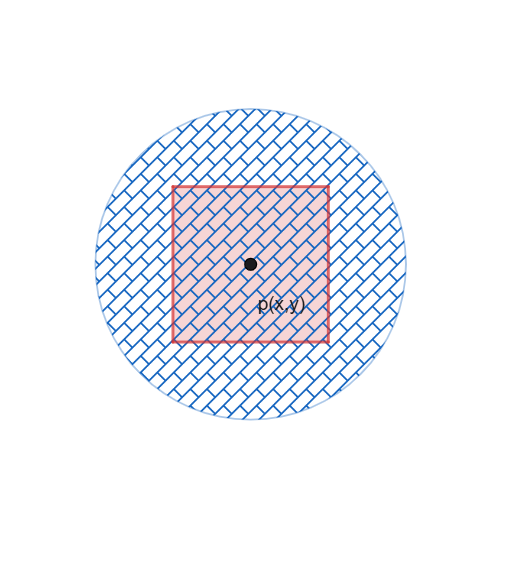
This GeoGebra example demonstrates the fundamental concept of neighborhoods in two-dimensional Euclidean space R^2 and their geometric construction. A neighborhood is a basic concept in topology, referring to an open region centered at a point, typically represented as a circular region with radius ε. Using the Polygon command, this example constructs multiple geometric objects (objects a, eq1, p, b, q1, f, g, h, i) to show how neighborhoods can be represented or approximated by polygons, including auxiliary lines such as median lines (eq1, q1). By adjusting polygon vertices and parameters, students can intuitively understand the essential properties of topological concepts like open sets, closed sets, and interior points. This example is suitable for high school mathematics extensions and introductory university topology courses, helping students build intuitive spatial awareness.
GeoGebra Commands & Parameters
Polygon(((-(b / 2)), b / 2), (b / 2, b / 2), (b / 2, (-(b / 2))), ((-(b / 2)), ((-b)) / 2)) → q1, f, g, h, i
AI Drawing Prompt Reference
Draw a square centered at the origin in the 2D plane, with its four vertices symmetrically placed on the coordinate axes, and side length equal to parameter b. This square represents a neighborhood in two-dimensional Euclidean space, illustrating the topological concepts of open and closed sets. Adjusting parameter b changes the neighborhood's radius, showing how the square's boundary and interior points relate. Clearly label the coordinate axes and emphasize the square's geometric construction to aid understanding of neighborhoods as open regions around a central point.
The prompt above was compiled from the original drawing commands and is for reference only.