
Saddle Point
Loading the math board and drawing, please wait…
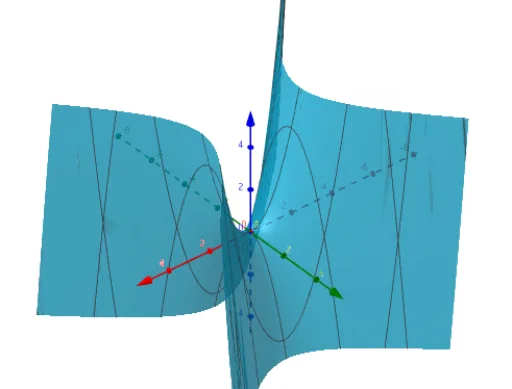
This example illustrates the concept of a saddle point, a special point where the function has a local maximum in one direction and a local minimum in another. By adjusting parameters a, b, and c, one can observe the changes in the shape of different saddle points. This example involves the concept of derivatives and is suitable for high school mathematics education.
GeoGebra Commands & Parameters
Numeric a(1)Numeric b(1)c(x, y) = (a * x^(2)) - (b * y^(2))
AI Drawing Prompt Reference
Draw a saddle point illustration showing a function with a local maximum in one direction and a local minimum in another. Adjust parameters a and b to observe shape variations of different saddle points. The plot includes a surface controlled by parameters a and b, highlighting key features like the saddle point.
The prompt above was compiled from the original drawing commands and is for reference only.