
Euler Method: Numerical Solution of Differential Equations
Loading the math board and drawing, please wait…
In collections
Differential equation Material
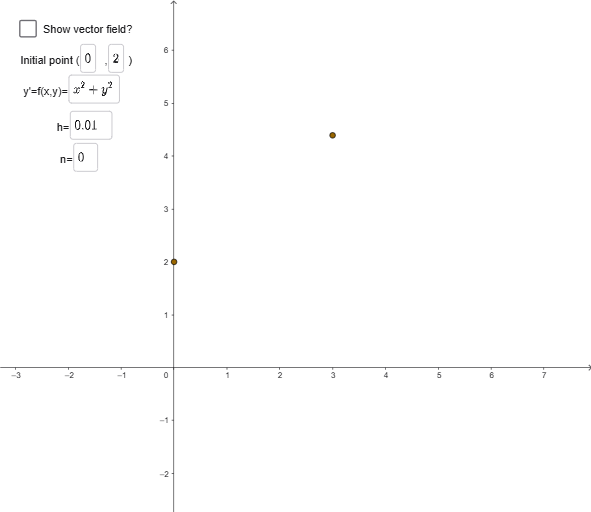
The Euler Method is a numerical technique for solving differential equations. This example demonstrates the slope field of the differential equation y' = x^2 + y^2 using GeoGebra. Key mathematical concepts include derivatives, slope fields, and numerical integration. Construction involves using SlopeField, Textfield, and Vector objects, along with initial conditions. Suitable for high school students or undergraduate students learning calculus and numerical analysis.
GeoGebra Commands & Parameters
SlopeField(f, 30, 0.5) → slopefield1Textfield(xinitial) → InputBox1Textfield(yinitial) → InputBox2Textfield(f) → InputBox3Textfield(h) → InputBox4Textfield(n) → InputBox5Vector(D1, D2) → E1Vector(D3, D4) → E3Vector(D4, D5) → E4Vector(D5, D6) → E5Vector(D6, D7) → E6Vector(D7, D8) → E7Vector(D8, D9) → E8Vector(D9, D10) → E9Vector(D10, D11) → E10Vector(D11, D12) → E11Vector(D12, D13) → E12Vector(D13, D14) → E13Vector(D14, D15) → E14Vector(D15, D16) → E15Vector(D16, D17) → E16Vector(D17, D18) → E17Vector(D18, D19) → E18Vector(D19, D20) → E19Vector(D20, D21) → E20Vector(D21, D22) → E21Vector(D22, D23) → E22Vector(D23, D24) → E23Vector(D24, D25) → E24Vector(D2, D3) → E2
AI Drawing Prompt Reference
Draw the slope field of the differential equation y' = x^2 + y^2, and use the Euler method to numerically solve it from initial conditions x0, y0 with step size h for n steps. First, draw the slope field, then set the initial conditions and step size, and finally generate the numerical solution path using the Euler method.
The prompt above was compiled from the original drawing commands and is for reference only.