
Rectangle Rounding
Loading the math board and drawing, please wait…
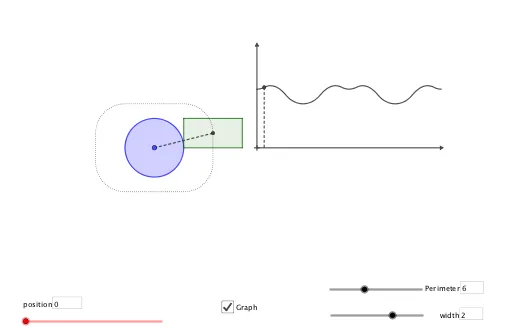
This example demonstrates how to transform a rectangle into a rounded rectangle using vector operations and geometric transformations. Key mathematical concepts include vectors, geometric transformations, and loci. It utilizes commands such as Vector, Circle, OrthogonalLine, Intersect, Midpoint, Angle, Segment, Polygon, Rotate, Textfield, and Locus in GeoGebra. Suitable for middle school and above students to learn about geometric transformations and loci.
GeoGebra Commands & Parameters
Vector((0, 0), (w, 0)) → uVector((0, 0), (0, l)) → vCircle(B, l) → eCircle(B, w) → dOrthogonalLine(B, xAxis) → gIntersect(e, g, 2) → DOrthogonalLine(B, yAxis) → fIntersect(d, f, 1) → CMidpoint(D, C) → FAngle(G, A, F) → αSegment(A, F) → jCircle(A, r) → cCircle(C, l) → hOrthogonalLine(C, f) → iIntersect(h, i, 1) → EPolygon(B, D, E, C) → q1, b, d_1, e_1, c_1Polygon(L_1) → q2Rotate(G, angle(t)) → G'Textfield(P) → InputBox1Textfield(w) → InputBox2OrthogonalLine(TraceL, xAxis) → kIntersect(k, xAxis) → JSegment(TraceL, J) → mLocus(TraceL, t) → loc1Locus(F, t) → loc2OrthogonalLine(K, xAxis) → nOrthogonalLine(K, yAxis) → sSegment(K, N) → aSegment(K, L) → f_1Textfield(t) → InputBox3