
GeoGebra Paths: Time-Based Dynamic Construction of Geometric Objects
Loading the math board and drawing, please wait…
In collections
The Domain of the Time (intuitive kinematics)
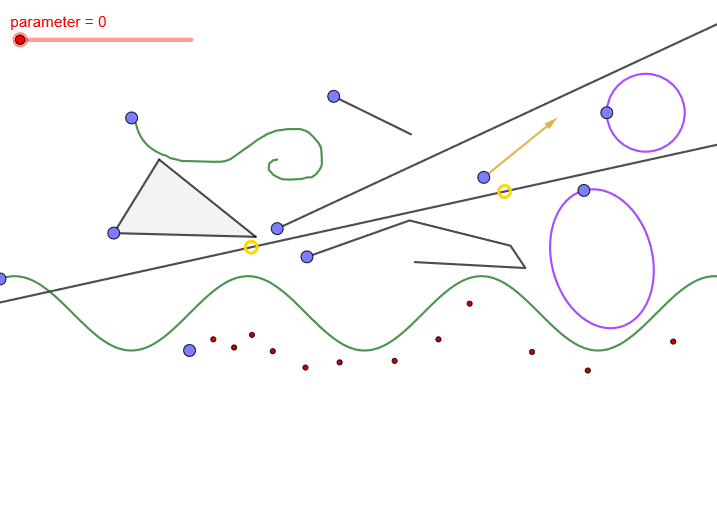
①This example demonstrates dynamic paths of multiple geometric objects (points, segments, rays, circles, polygons, ellipses) that evolve with a time parameter in GeoGebra, showing how shapes change over time. ②Core mathematical concepts include parametric equations, vectors, geometric constructions (e.g., isosceles triangles, medians), limits, logarithms, differential equations, and more, integrating diverse mathematical topics. ③Construction highlights: Based on the summary, commands such as Segment, Ray, Point, Line, PolyLine, Vector, Circle, Polygon, and Ellipse are used, creating numerous points (P1 to P18) and parameters (r1, r2, r3) controlled by a 'parameter' variable to animate the paths. ④Suitable for high school to university-level mathematics education, this example helps visualize dynamic relationships, parametric representations, and abstract concepts, and serves as an advanced GeoGebra tutorial for interactive geometry.
GeoGebra Commands & Parameters
Segment(P1, P2) → r1Ray(P3, P4) → r2Point(r2, parameter) → CPoint(r1, parameter) → BPoint(boceto1, parameter) → ALine(R1, R2) → r3Point(r3, parameter) → DPolyLine(P5, P6, P7, P8, P9) → pPoint(p, parameter) → EVector(P10, P11) → uPoint(u, parameter) → FCircle(P15, P16) → cirPoint(cir, parameter) → HPolygon(P12, P13, P14) → t1, s1, s2, s3Point(t1, parameter) → GEllipse(P17, P18, P19) → kPoint(k, parameter) → IPoint(f, parameter) → JPoint(l1, parameter) → K
AI Drawing Prompt Reference
Draw a dynamic geometric figure containing multiple points, line segments, rays, circles, triangles, and ellipses that evolve over time. These points are controlled by a parameter, moving along different paths such as A, B, C, D, E, F, G, H, I, J, K. The construction order starts with basic points, then adds line segments, rays, circles, and ellipses, finally connecting all points into dynamic paths. The figure should illustrate how these geometric objects change with the parameter, helping to understand dynamic geometry and parametric representation.
The prompt above was compiled from the original drawing commands and is for reference only.