
Dynamic F1 Racing Track Simulation with Vector Rotation
Loading the math board and drawing, please wait…
In collections
El dominio del Tiempo (cinemática intuitiva)
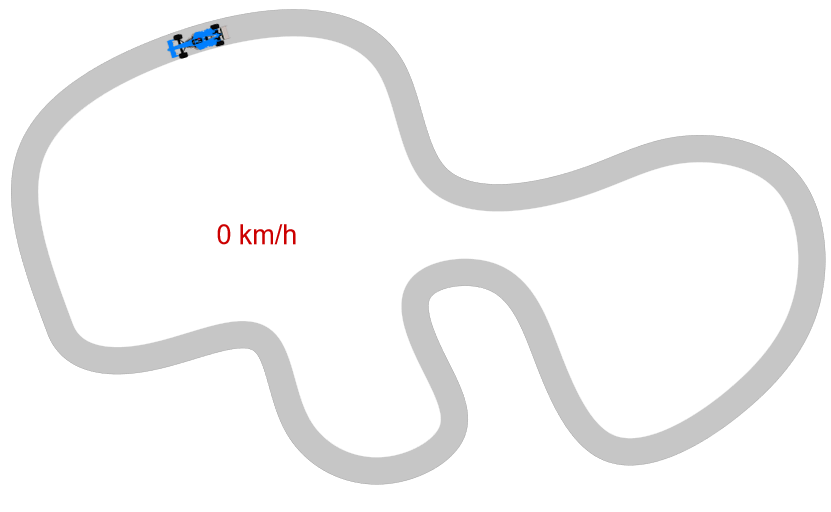
This GeoGebra example demonstrates a dynamic simulation of a Formula 1 car moving along a racing track. It uses vector rotation to control the vehicle's motion along a circular path and generates smooth trajectory using spline curves. Core mathematical concepts include vector rotation, circular motion, locus, and tangent line calculations. Construction details: Uses Rotate command for point rotation, UnitVector and UnitOrthogonalVector for vector calculations, Circle command for creating the circular track, Spline for generating smooth paths, Point for defining key points, Length for calculating path length, and Locus for showing the dynamic trace. Suitable for high school mathematics (vectors, trigonometry) and college-level analytic geometry and calculus courses, also ideal for teaching parametric equations and geometric transformations.
GeoGebra Commands & Parameters
PolyLine(reg) → polLength(reg) → nSpline(lista, 3) → pistaTangent(Aux, pista) → fUnitVector(Vector[Direction[f]]) → vtPoint(pista) → QTangent(Q, pista) → tQUnitOrthogonalVector(tQ) → nQLocus(Qexterior, Q) → exteriorLocus(Qinterior, Q) → interiorCircle(A, 0.2) → sem2Circle(A, 0.2) → sem1Circle(A, 0.2) → sem3Rotate(F1, arg(vt), M) → F1bPoint(pista, 0.83929) → P
AI Drawing Prompt Reference
Create a diagram of a dynamic F1 racing track simulation: draw a smooth racing track using a spline curve and mark a moving point on the track to represent the car position. At the moving point, construct the tangent direction to the track, then define a unit tangent vector and a perpendicular unit normal (orthogonal) direction. Use rotation around the normal/tangent-related direction to show how the car orientation changes as it moves along the curve. Generate an exterior and an interior locus/trace from the moving point to form two evolving envelopes around the track. Include small circular markers near the center with radius 0.2 to emphasize local track features, and depict the continuous trajectory and vector relationships (tangent and normal) clearly.
The prompt above was compiled from the original drawing commands and is for reference only.