
Random Shape Generation and Curve Overlay
Loading the math board and drawing, please wait…
In collections
COORDINATE GEOMETRY
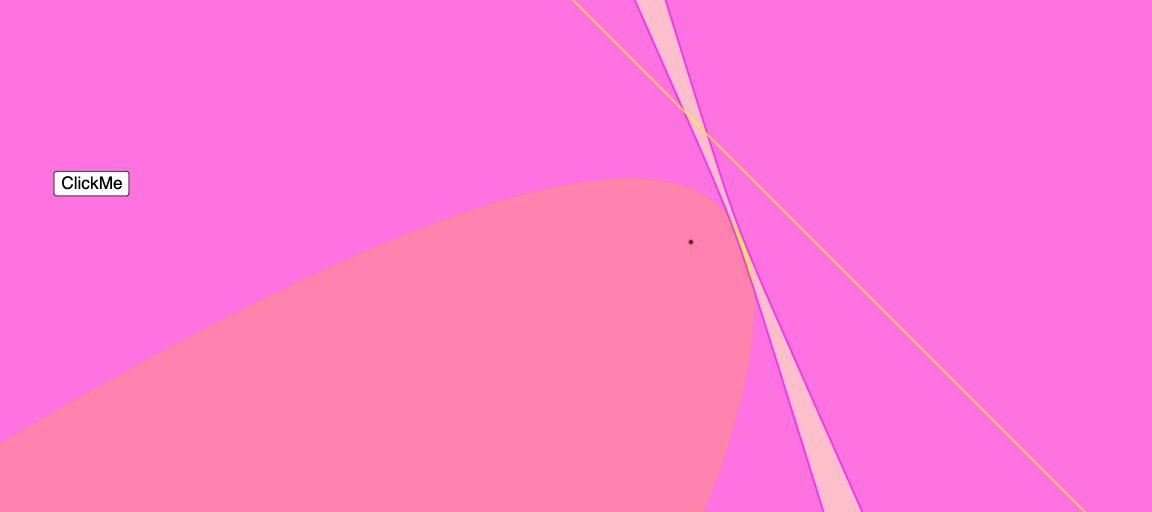
This GeoGebra example demonstrates how to automatically generate and overlay multiple plane shapes—such as polygons, circles, lines, parabolas, and ellipses—on the same canvas using randomized parameters and geometric construction. It highlights key ideas from analytic geometry and geometric construction: the definition and visualization of standard conic curves (parabola, ellipse), the creation of geometric objects and their relationships, and the concept of constructing figures via parameters (including randomness). Construction-wise, the command list shows the use of Random to produce parameters, Polygon to create a polygon, Circle to draw circles, Line to draw straight lines, Parabola for parabolic curves, and Ellipse for elliptical curves. The setup includes variables for dimensions and coefficients (e.g., length, height, a, b, C, n, D, E) as well as parameter/time-like quantities (e.g., t1, e_1, and other derived values), together with controls such as button1 and anim to enable interaction or animation. Suitable for middle school through early university students, it’s useful for lessons and exploration in geometric construction and analytic geometry graphing.
GeoGebra Commands & Parameters
Random((-(length / 4)), length / 4) → aRandom((-(height / 4)), height / 4) → bPolygon(C, D, E) → t1, e_1, c_1, d_1Random((-(length / 4)), height / 4) → cRandom((-(height / 4)), length / 4) → dCircle(P, c_1) → eLine(C, D) → fParabola(P, f) → gEllipse(P, E, d_1) → h
AI Drawing Prompt Reference
On a single coordinate canvas, generate and overlay several 2D shapes using randomized parameters: first randomly choose two scale values (a and b), then form a polygon from three points whose vertices depend on those parameters. Use one of the polygon vertices as the center and a parameter-derived value as the radius to draw a circle. Connect two of the constructed vertices to create a line. Using the chosen vertex together with that line, draw a parabola. Finally, with the same reference vertex and the remaining parameter-based point information, draw an ellipse so that the polygon, circle, line, parabola, and ellipse all appear together and relate to the shared constructed points.
The prompt above was compiled from the original drawing commands and is for reference only.