
Quadrilateral Prism
Loading the math board and drawing, please wait…
In collections
P1 P2 立體圖形 / 3D Shapes
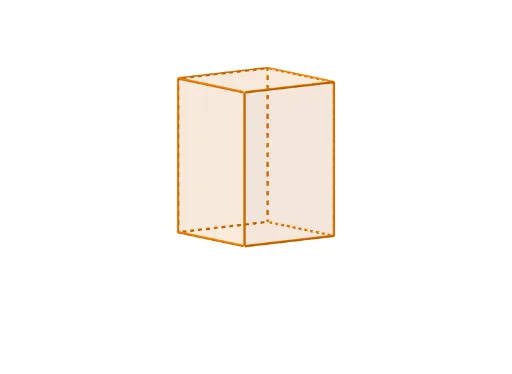
This example demonstrates the construction and surface properties of a quadrilateral prism. It involves core mathematical concepts like polygons, solid geometry, rotation, and prisms. Construction highlights include using Polygon for bases, Midpoint for midpoints, Line for edges, Rotate for rotations, Prism for prism generation, and If for conditional logic. Suitable for high school solid geometry and geometric construction learning.
GeoGebra Commands & Parameters
Polygon(ShapePt1, ShapePt2, ShapePt3, ShapePt4) → ShapeBase, pri2pt1, pri2pt2, pri2pt3, pri2pt4Midpoint(ShapePt1, ShapePt3) → ShapePtAxisLine((0, 1, 0), (0, 0, 0)) → RotateAxisRotate(ShapeBase, S5, ShapePtAxis, RotateAxis) → ShapeBaseRPrism(ShapeBaseR, (S1 * S2)) → Shape, A, edge1, edge2, edge3, edge4, edgeAB, edgeBC, edgeCD, edgeAD, B, C, D, face1, face3, face4, face2, faceABCDIf(ShowChi, "四角柱體", "Quadrilateral Prism") → TextName2If(ShowChi, "依據立體底的形狀命名", "Naming by the base of the shape") → TextShowName2If(ShowChi, "立體高度", "Height") → TextSlider1If(ShowChi, "立體大小", "Size") → TextSlider2If(ShowChi, "立體位置(高低)", "Vertical Position") → TextSlider3If(ShowChi, "立體位置(橫向)", "Horizontal Position") → TextSlider4If(ShowChi, "施轉立體", "Rotate the shape") → TextSlider5If(ShowChi, "透明度", "Transparency") → TextSlider6If(ShowChi, "角柱", "Prism") → TextName1
AI Drawing Prompt Reference
Draw a quadrilateral prism in 3D space. Start by constructing a quadrilateral base from four vertices, then find its center point. Rotate this base around a vertical axis passing through the origin by a certain angle to get a tilted base. Extrude this rotated base vertically to form the prism, which has two quadrilateral faces and four rectangular side faces. Show all edges clearly. Add labels for the shape name, and include sliders to adjust height, size, vertical and horizontal position, rotation, and transparency.
The prompt above was compiled from the original drawing commands and is for reference only.